

We asked Formidable to build a simple loan application. Five fields: name, email, income, loan amount, purpose. What came back was a form we wouldn't have designed ourselves—and a lesson in what happens when AI actually understands form design. Two messages. Under three minutes.
Start simple: five fields, one minute
The prompt was deliberately basic:
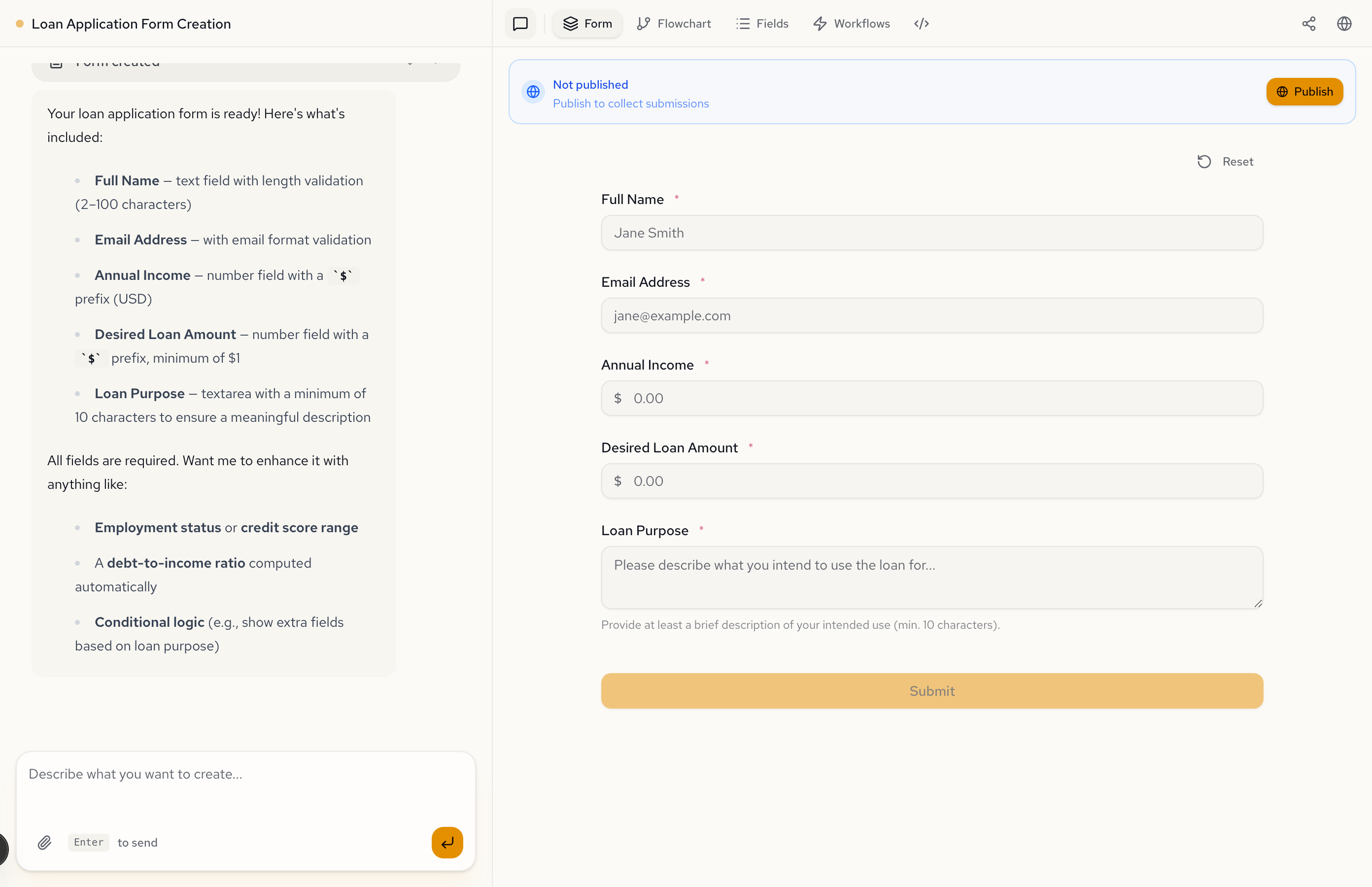
Create a simple loan application form. Collect the applicant's full name, email, annual income, desired loan amount, and loan purpose.
Formidable built exactly that. Five required fields with proper types—currency prefixes on the money fields, email validation, a minimum character count on loan purpose. A perfectly functional form.
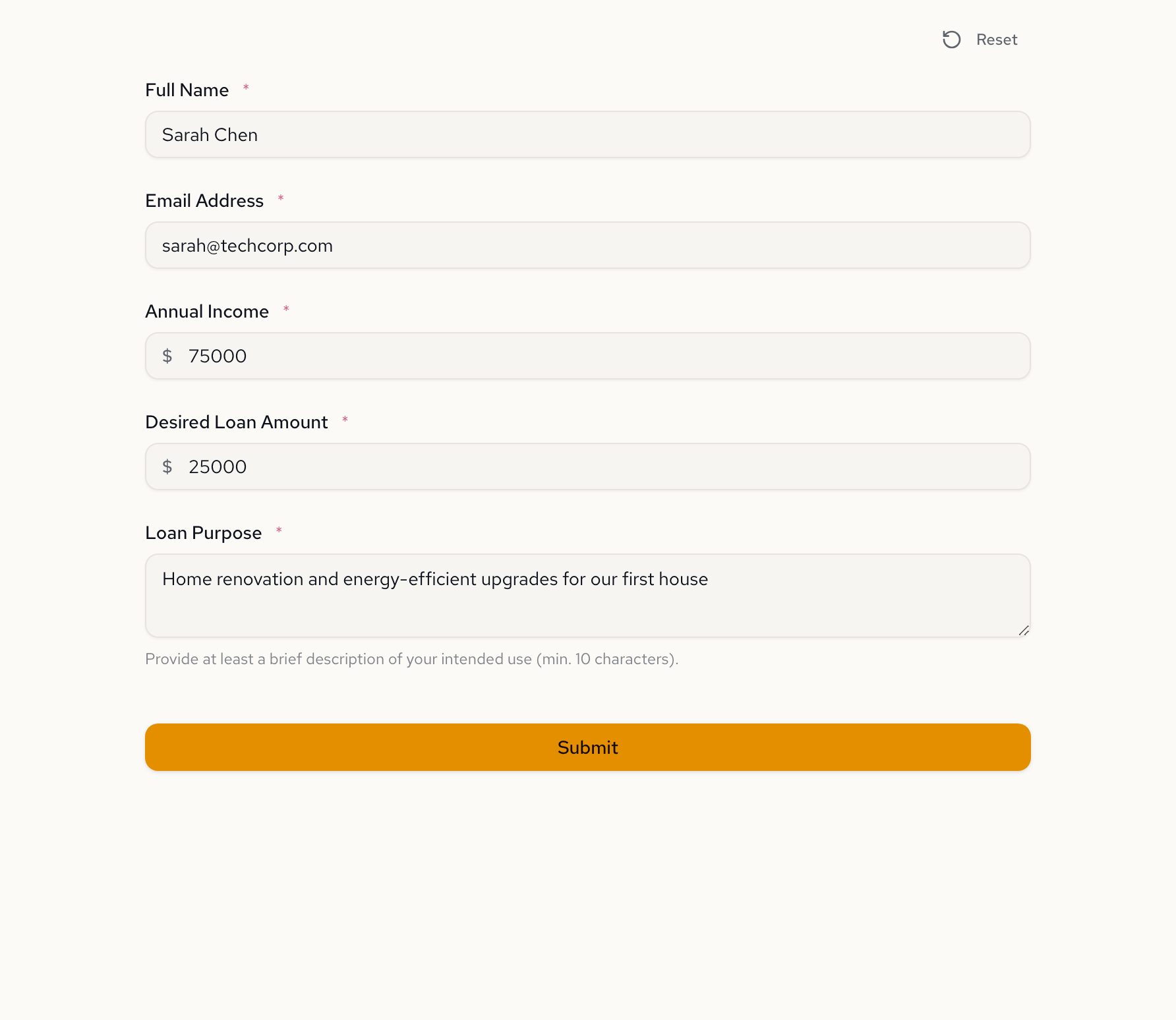
But here's the thing the AI pointed out unprompted: all fields are required, and it suggested three ways to make the form smarter. Employment status. A debt-to-income ratio computed automatically. Conditional logic based on loan purpose.
One follow-up prompt changes everything
We took the AI's hint and asked it to go further:
Make this smarter. Add employment type with conditional fields—if Employed, ask for employer name and years at job. If Self-employed, ask for business name and years in business. Add monthly debt payments and compute the debt-to-income ratio. Auto-qualify if DTI is under 43% and income is above $30,000.
The AI didn't just add fields. It restructured the form with conditional logic, computed values, and automatic qualification—the kind of business rules that would take hours to wire up in a traditional form builder. Learn more about building forms with approval logic.
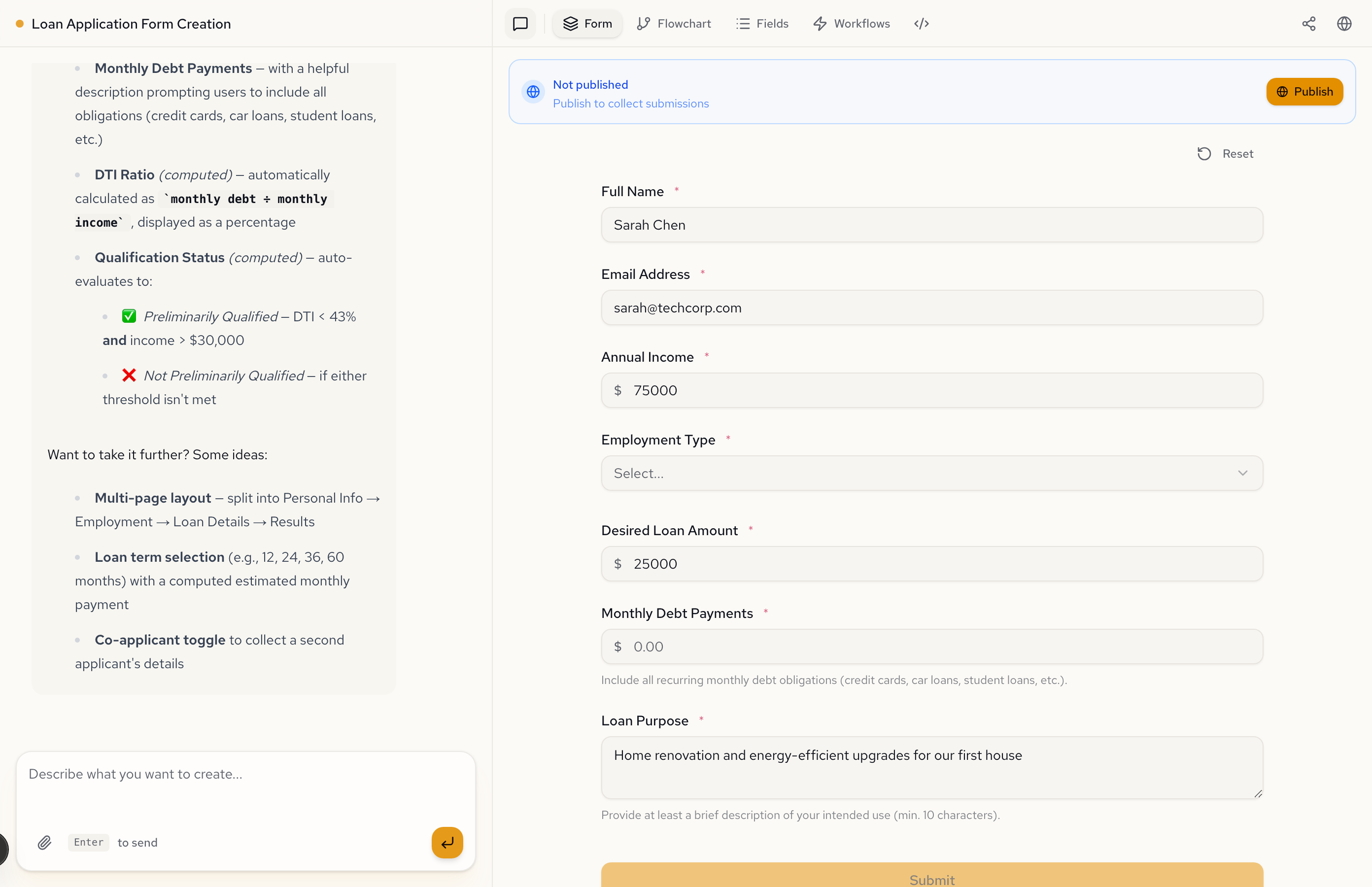
The enhanced form: what the AI added
The form went from 5 fields to a full application with employment verification, financial assessment, and automatic qualification.
Employment Type now controls which fields appear. Monthly Debt Payments includes a helper description prompting applicants to include all recurring obligations—credit cards, car loans, student loans.
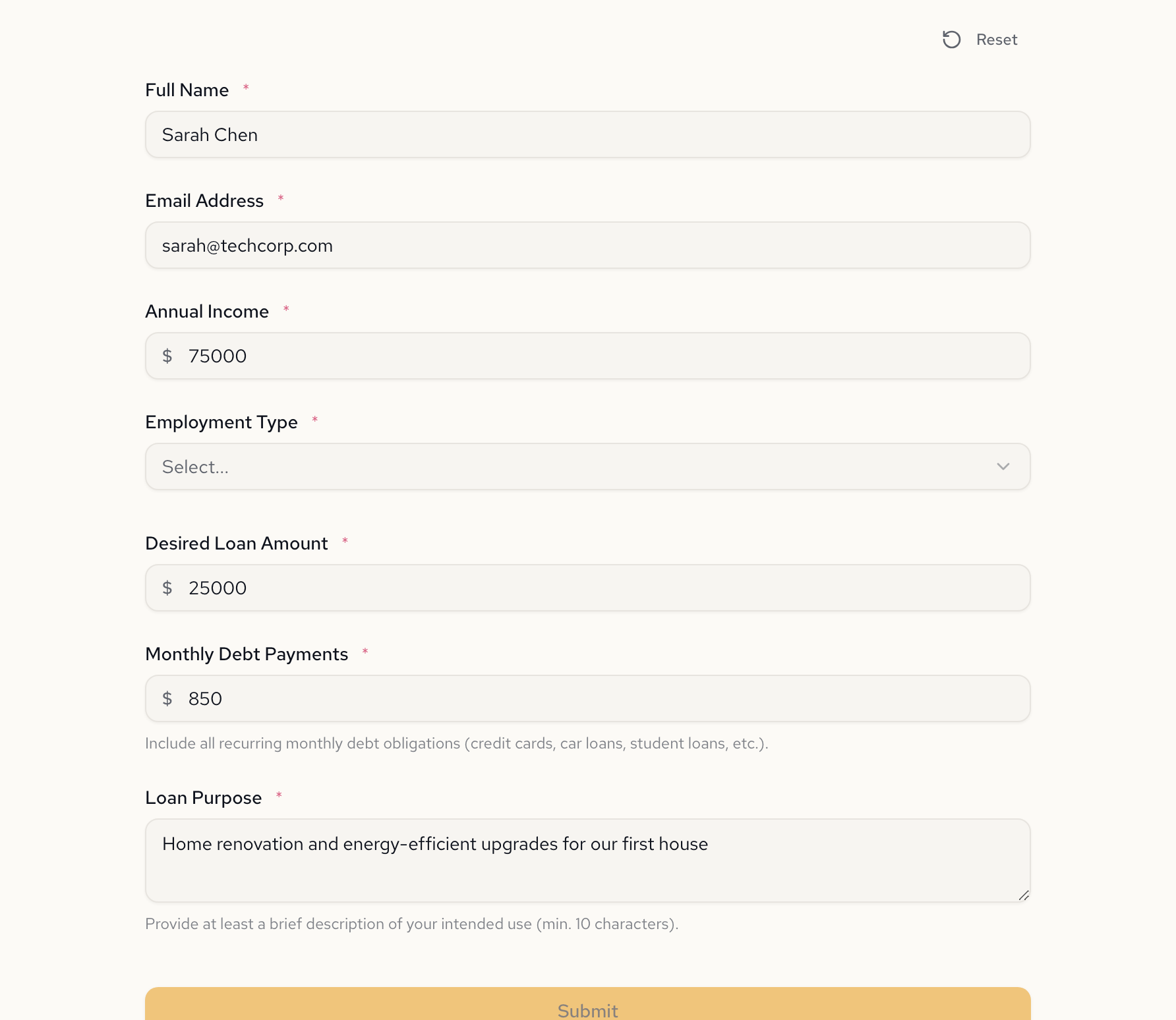
Behind the scenes, two computed fields do the heavy lifting:
- DTI Ratio calculates
monthly debt payments / (annual income / 12)and displays it as a percentage - Qualification Status auto-evaluates: if DTI is under 43% and income exceeds $30,000, the applicant is preliminarily qualified
Here's what the AI generated for the computed fields and conditional visibility:
{
  "fields": {
    "employerName": {
      "type": "text",
      "label": "Employer Name",
      "placeholder": "Acme Corp",
      "visibleWhen": "employmentType = \"employed\""
    },
    "businessName": {
      "type": "text",
      "label": "Business Name",
      "placeholder": "My Business LLC",
      "visibleWhen": "employmentType = \"self_employed\""
    }
  },
  "computed": {
    "dti": {
      "label": "Debt-to-Income Ratio (DTI)",
      "format": "percent",
      "expression": "if annualIncome != null and annualIncome > 0 and monthlyDebtPayments != null then (monthlyDebtPayments / (annualIncome / 12)) * 100 else null"
    },
    "qualificationStatus": {
      "label": "Qualification Status",
      "expression": "if annualIncome > 30000 and (monthlyDebtPayments / (annualIncome / 12)) < 0.43 then \"Preliminarily Qualified\" else \"Not Preliminarily Qualified\""
    }
  }
}
Each visibleWhen rule is an expression evaluated in real time. Each computed expression derives a value from other fields. No code. No formulas pasted into spreadsheet cells. Just a sentence describing the business rule, and the AI writes the expressions.
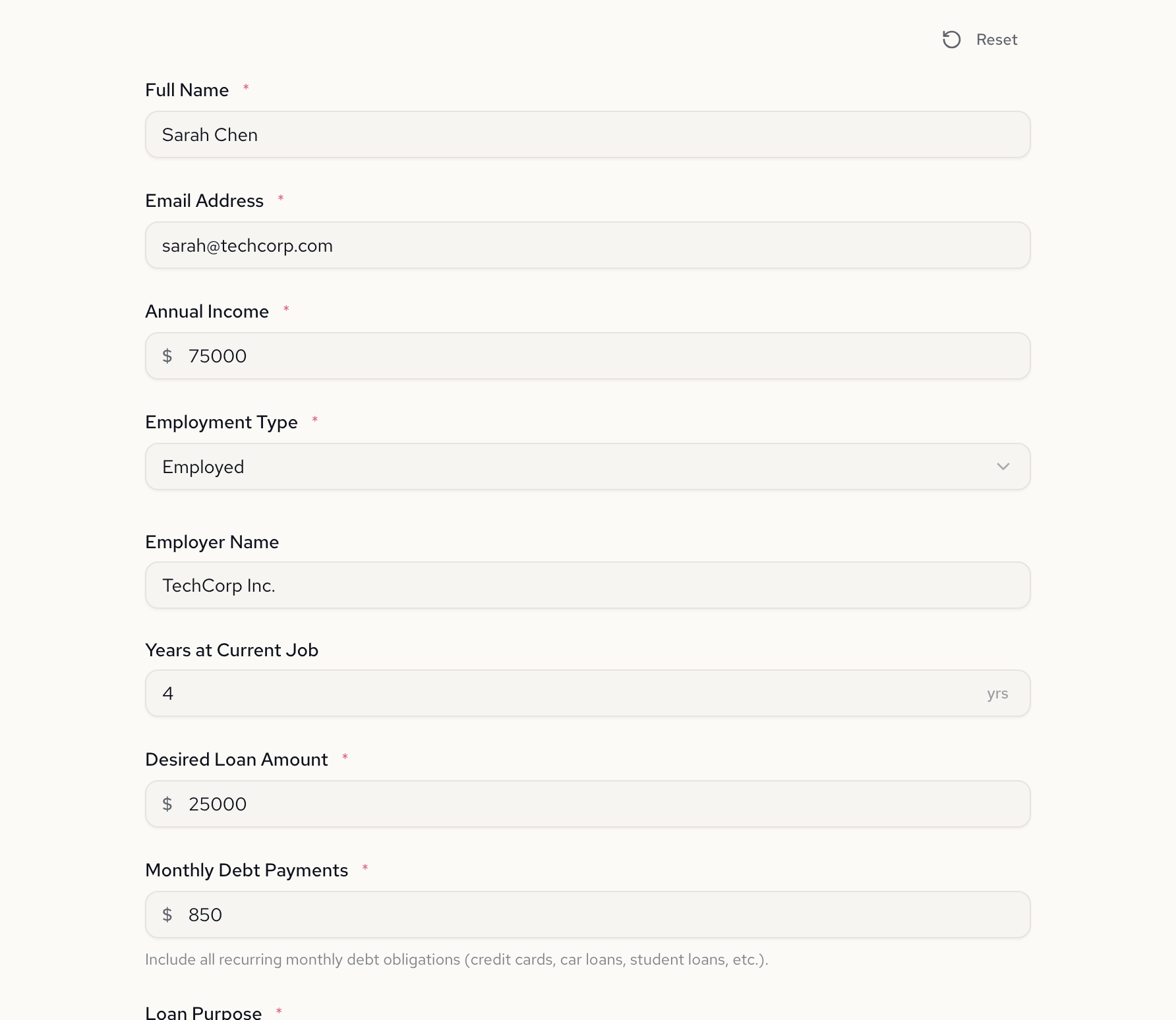
Employed applicants see employer fields
Select "Employed" and two fields appear: Employer Name and Years at Current Job. These are hidden for other employment types—no confusing greyed-out fields, no "N/A" placeholders.
Self-employed applicants see business fields
Switch to "Self-Employed" and the form adapts. Employer Name and Years at Current Job disappear. Business Name and Years in Business take their place.
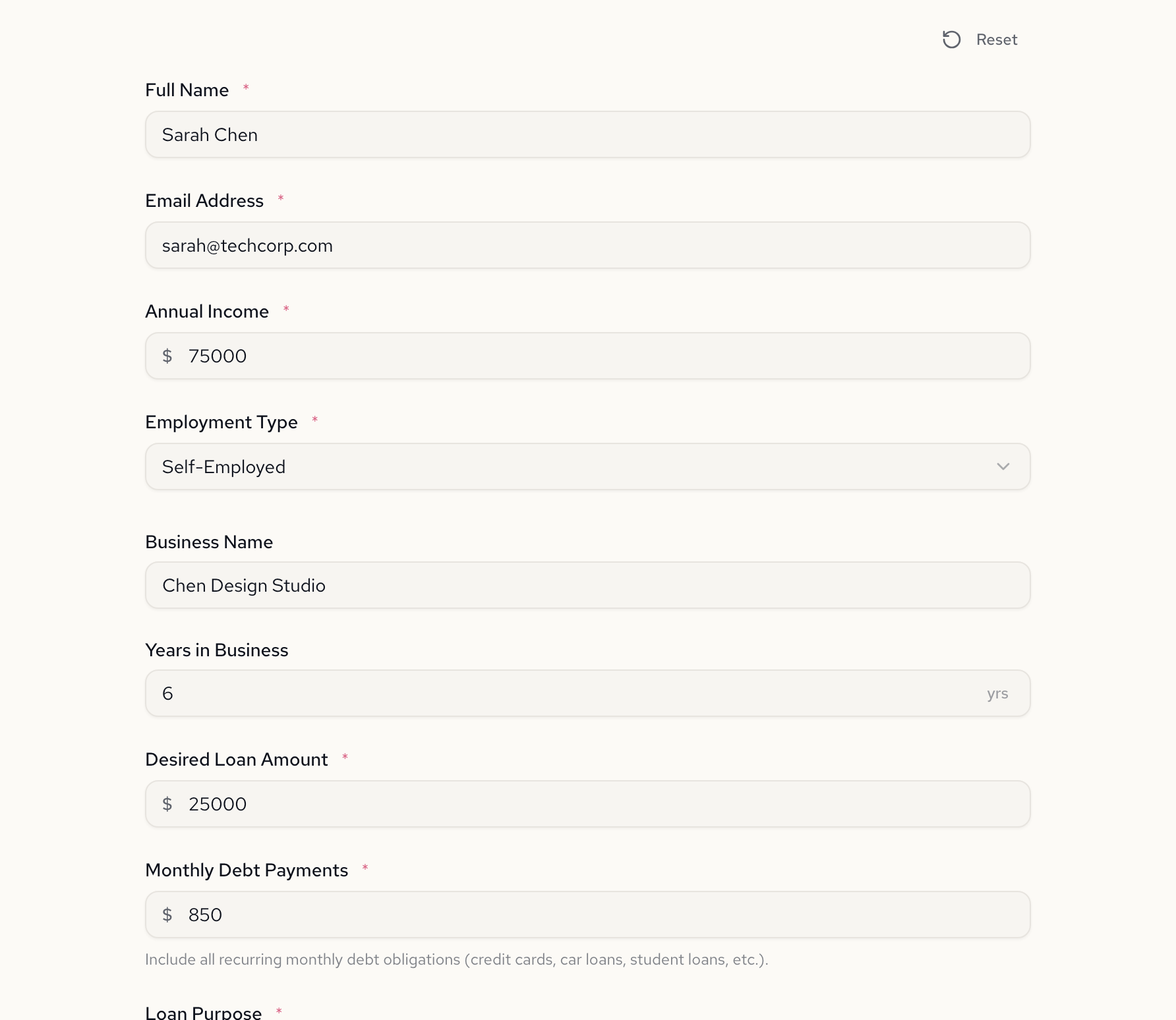
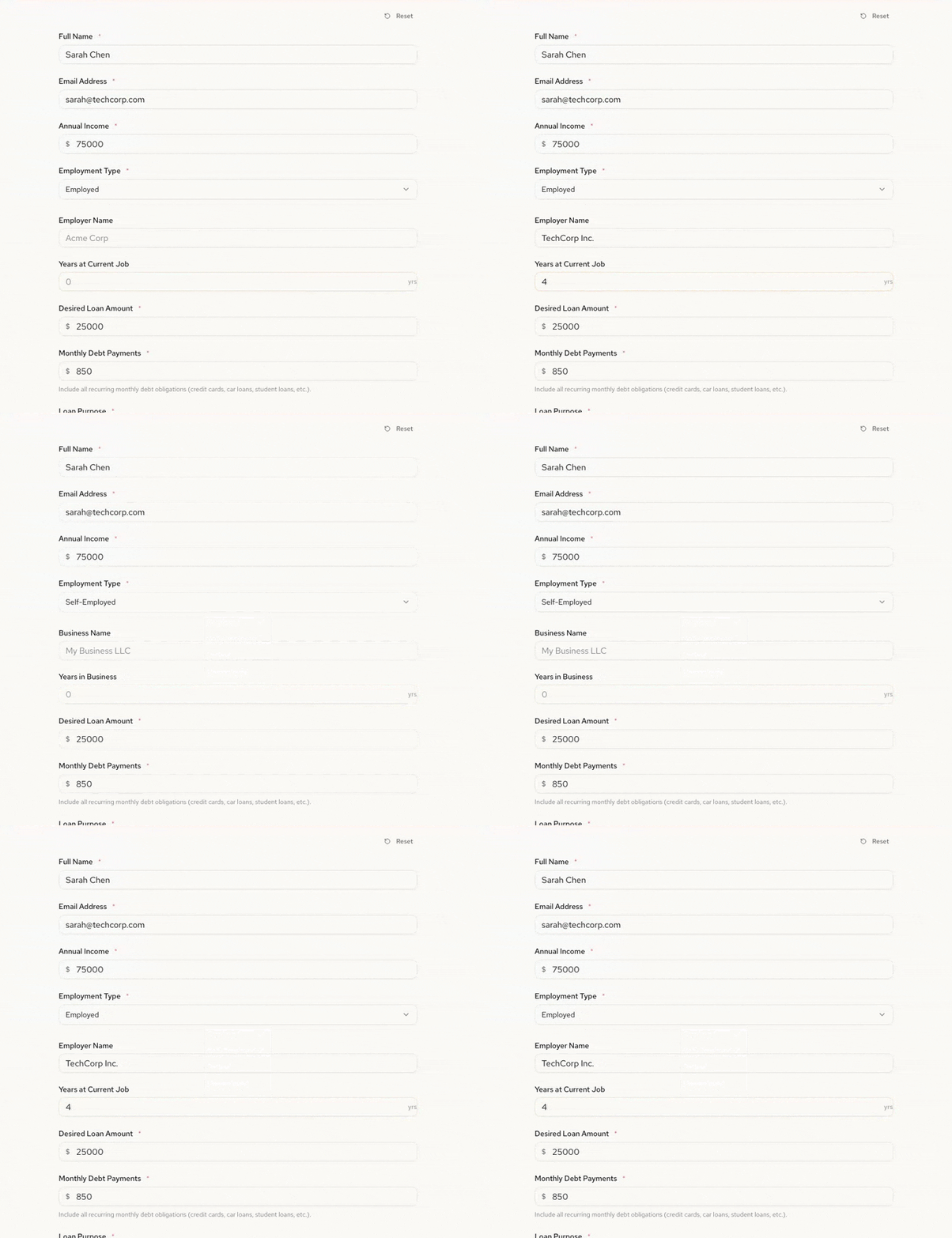
This is field-level conditional visibility, not page-level branching where you duplicate entire sections. Each field has its own visibility rule.
Here it is in action—watch the fields swap instantly as the employment type changes:
The computed values in action
Submit the form and the computed fields do their work. Here's Sarah's application: $850 monthly debt against $75,000 annual income gives a DTI ratio of 13.6%. Income exceeds $30,000 and DTI is well under 43%. Preliminarily Qualified.
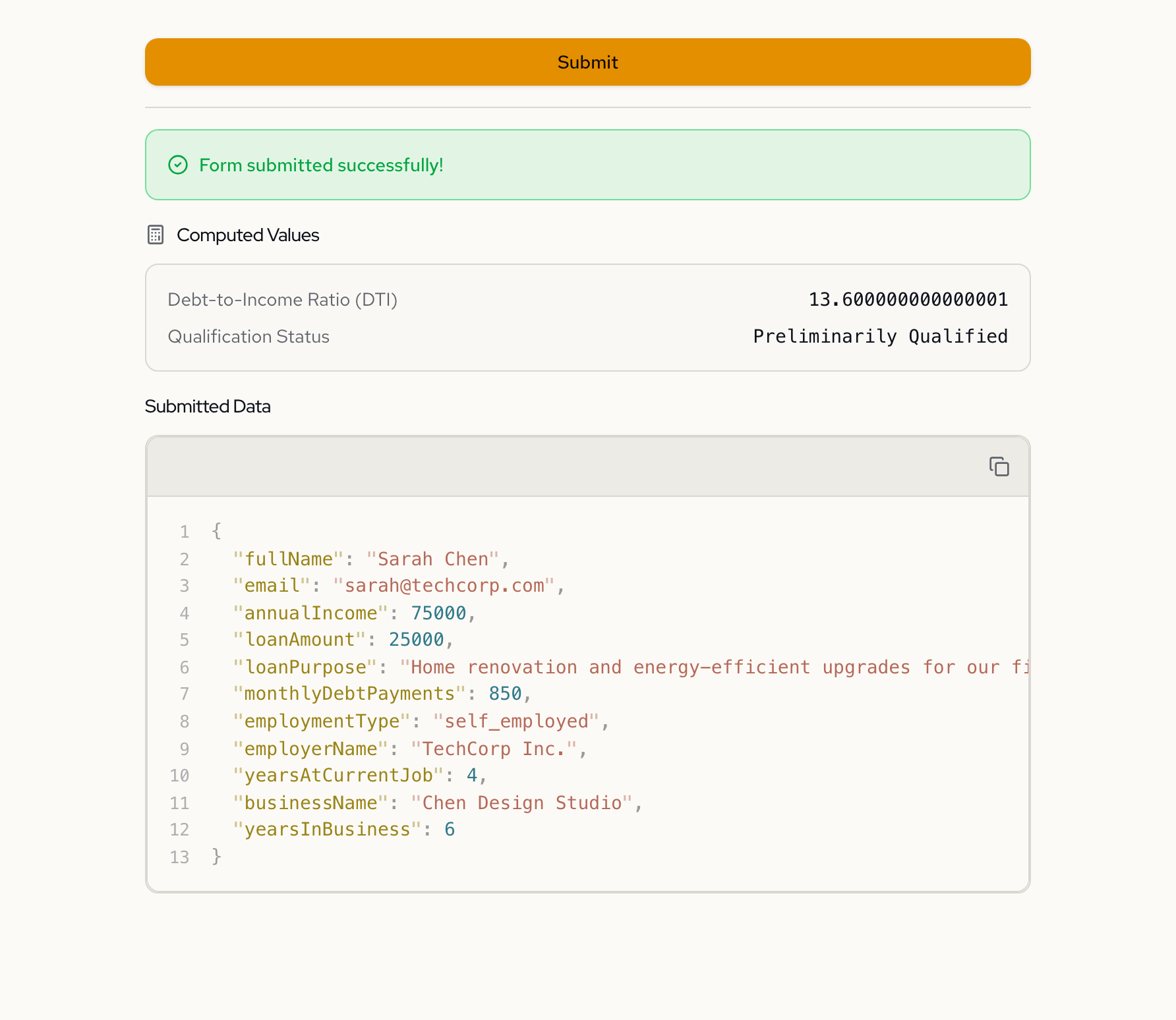
Same form, different inputs, different outcome. Change the income to $25,000 or debt to $3,000 and the qualification flips. The form evaluates the applicant in real time.
See the logic as a flowchart
The Flowchart tab visualizes the conditional paths. Employment Type branches into two paths, each showing which fields appear. The main fields flow straight to Submit.
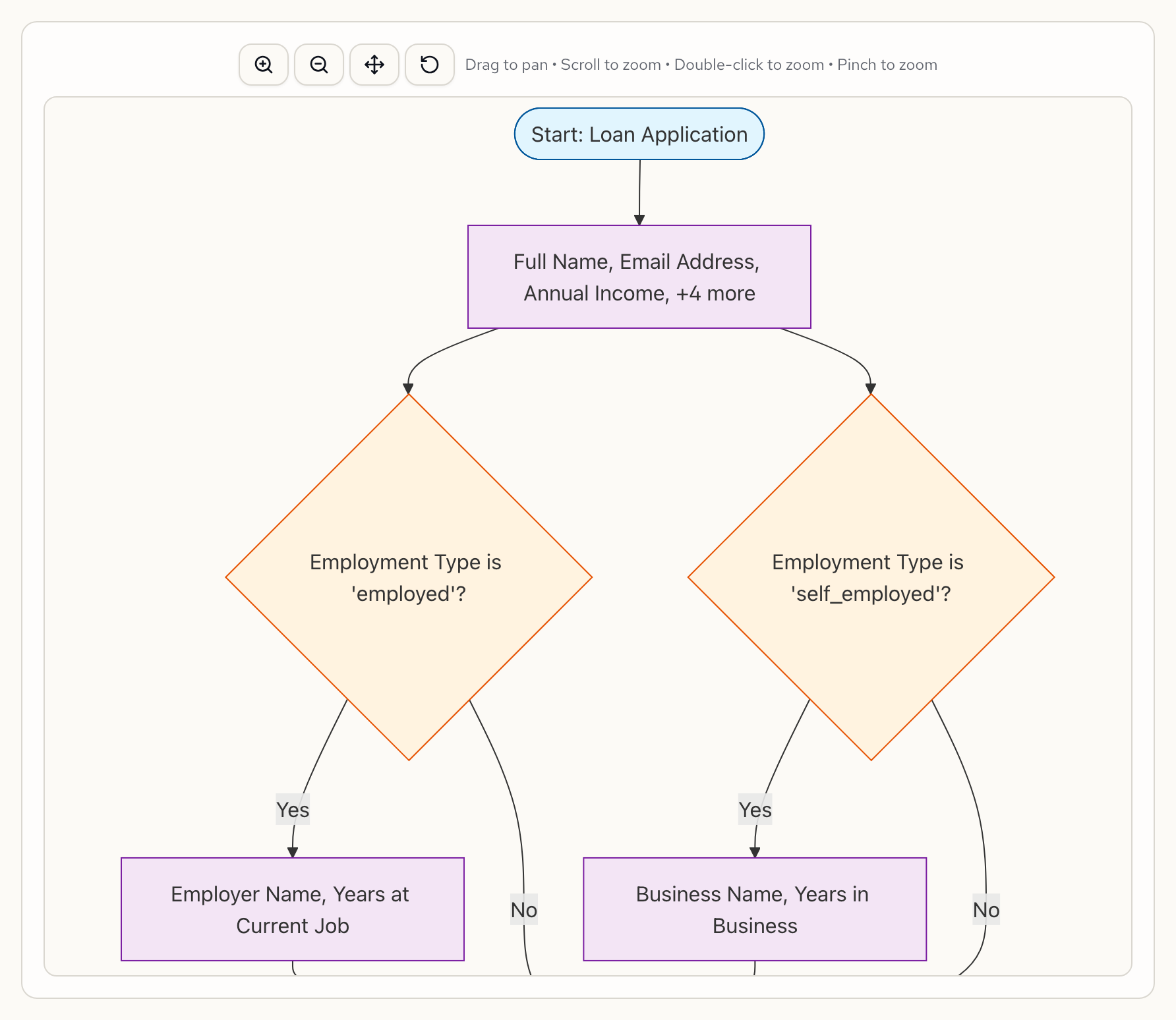
This is generated automatically from the form specification. Change the logic, and the flowchart updates to match.
What we didn't ask for
The AI also suggested next steps we hadn't considered:
- Multi-page layout — split into Personal Info, Employment, Loan Details, and Results
- Loan term selection with a computed estimated monthly payment
- Co-applicant toggle to collect a second applicant's details
Each of these is one follow-up message away. The conversation keeps going until the form is right.
Try it yourself
Paste this into Formidable and see what comes back:
Create a loan application form. Collect name, email, annual income, desired loan amount, and loan purpose. Add employment type (Employed, Self-employed, Retired, Unemployed) with conditional fields for each type. Compute debt-to-income ratio from monthly debt payments and annual income. Auto-qualify if DTI is under 43% and income exceeds $30,000.
Then ask the AI to make it smarter. That's where it gets interesting.
Sign up free — go from idea to working form in one conversation.
Learn more about conditional logic and calculated fields in Formidable.