

Compliance checklists have a fundamental problem. They collect answers without enforcing consequences. An inspector marks "fire exits blocked" and moves on to the next item. The checkbox doesn't care. It doesn't ask what's being done about it. It doesn't flag that this is a critical safety issue. It doesn't compute whether the facility passes or fails.
We built a checklist in Formidable that does all of that. Mark an item as non-compliant and the form changes. It requires a written explanation. It asks for a remediation timeline. For critical safety items, it demands an immediate action plan. Then it scores the entire audit and renders a pass, conditional pass, or fail verdict.
Two messages. No code.
The prompt
We described a workplace safety audit covering four categories: fire safety, equipment maintenance, data handling, and employee training.
Create a workplace safety compliance audit checklist on a single page. Checklist items: fire exits clear and accessible, fire extinguishers inspected, emergency evacuation plan posted, safety guards installed on machinery, equipment inspection logs up to date, sensitive documents in locked cabinets, clean desk policy followed, all staff completed safety orientation, first aid certified personnel on-site. When any item is unchecked (non-compliant), show a written explanation field and a remediation timeline dropdown. Critical items (fire exits, safety guards) also get an immediate action plan field. Add a computed compliance result: Pass if all compliant, Fail if any non-compliant.
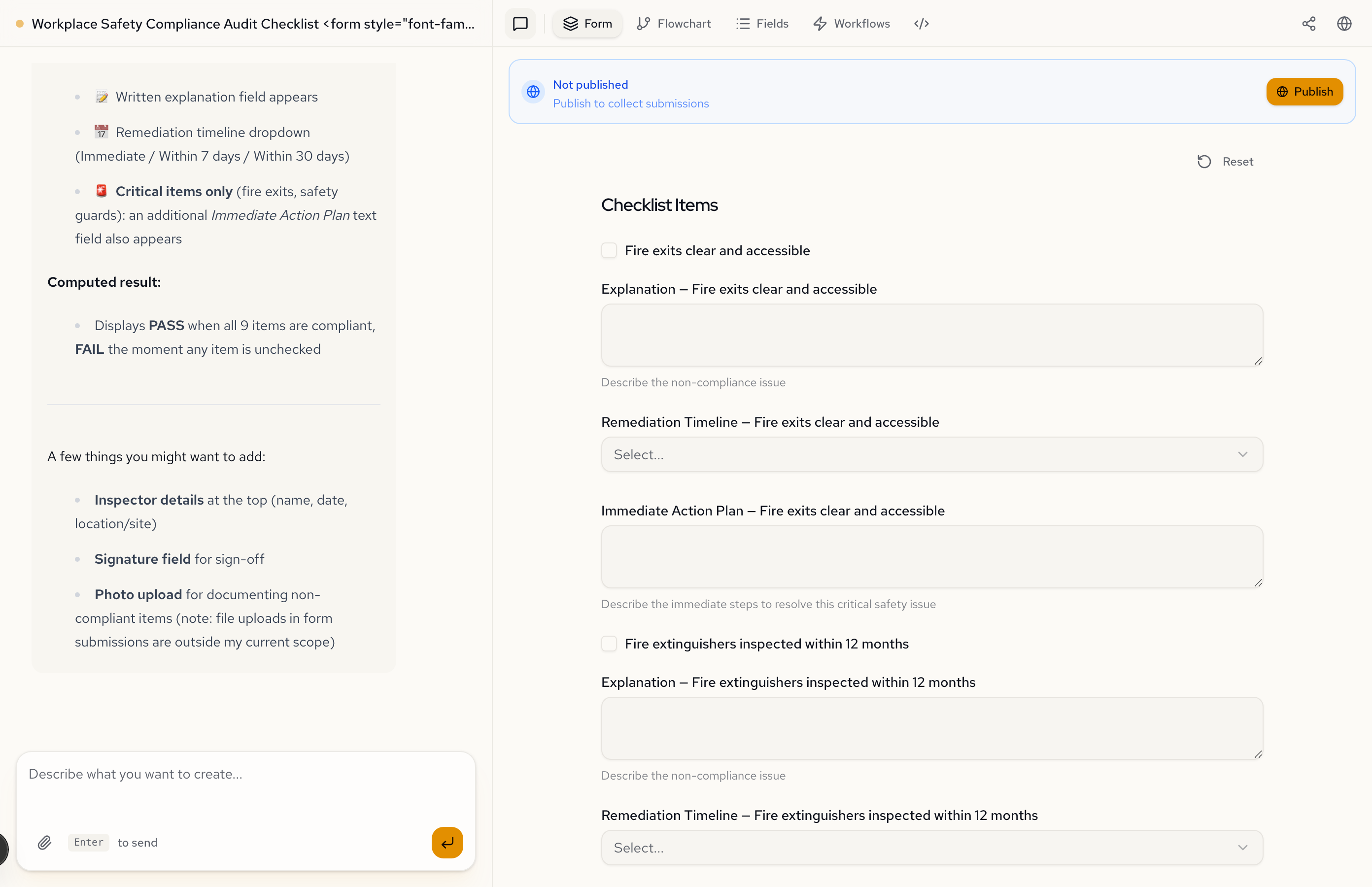
The AI built a 9-item checklist with per-item conditional evidence fields, escalation for critical items, and a computed pass/fail result. It also structured the evidence fields with helper text: "Describe the non-compliance issue" for explanations, "Describe the immediate steps to resolve this critical safety issue" for action plans.
All compliant: the clean path
When every item is checked, the form is just a checklist. Nine checkboxes and a submit button. No evidence fields, no timelines, no action plans. The form stays out of the way when everything is fine.
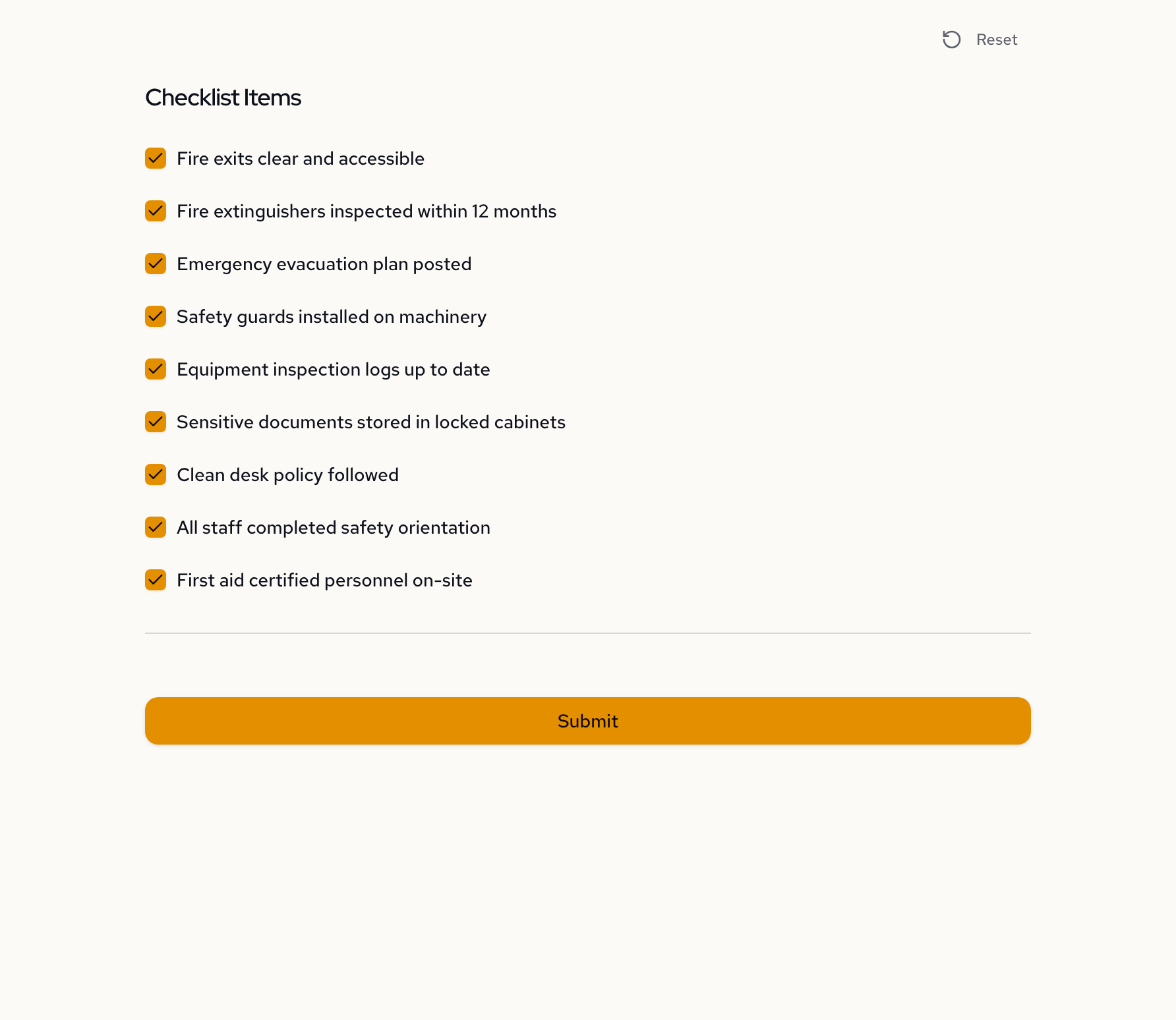
This is the key difference from a spreadsheet checklist. A spreadsheet shows every field all the time. This form only shows what's relevant.
Something fails: the form responds
Uncheck "Clean desk policy followed" and the form expands. Two new fields appear directly below: a written explanation and a remediation timeline dropdown (Immediate, Within 7 days, Within 30 days).
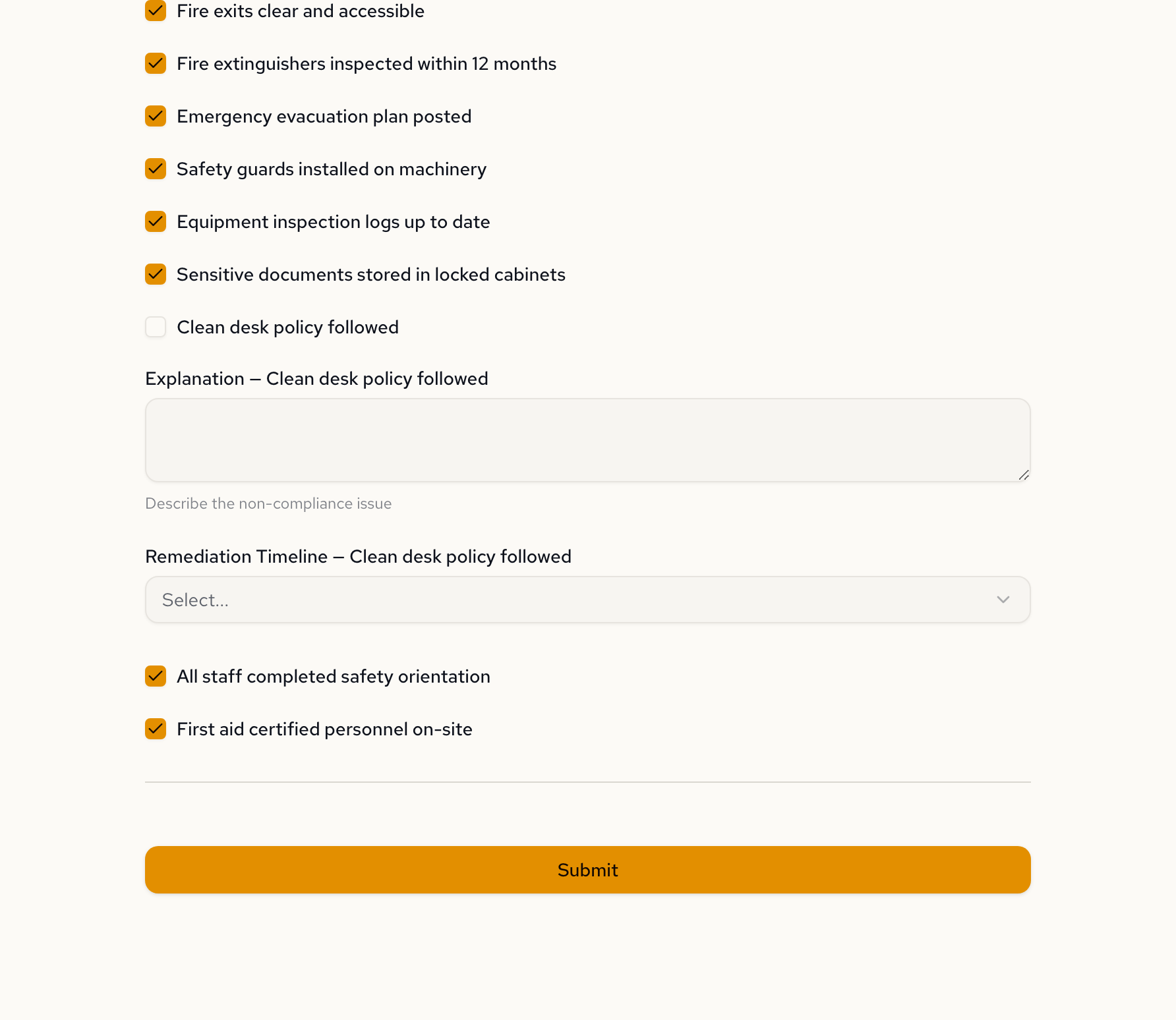
The inspector can't just check "no" and move on. The form requires them to document the issue and commit to a fix timeline. This is conditional enforcement: the form's structure changes based on the answers.
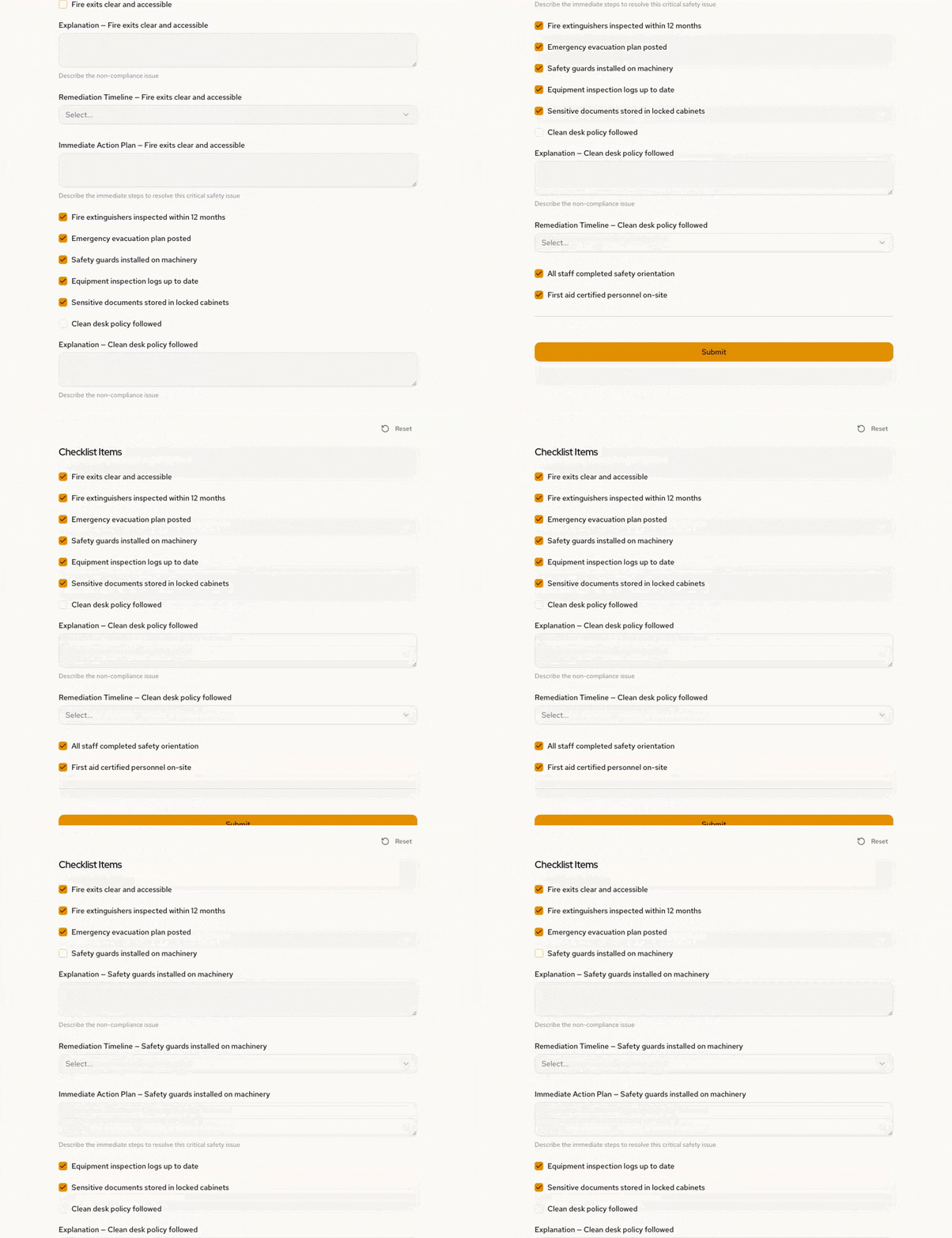
Critical failures get escalated
Not all failures are equal. Fire exits and safety guards are critical safety items. When one of these fails, the form adds a third field on top of the explanation and timeline: an immediate action plan.
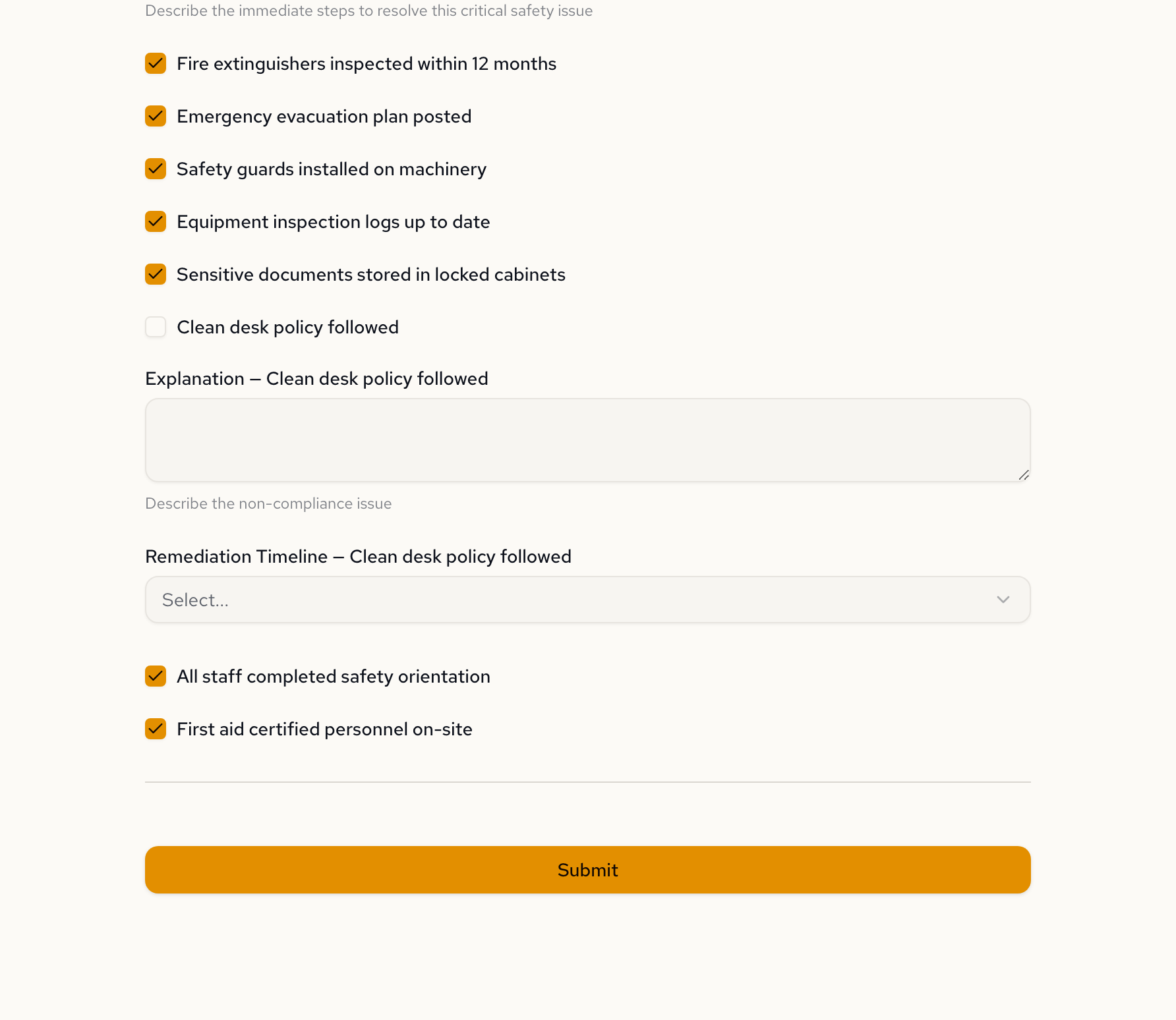
The AI made this distinction on its own. We said "critical items should also show an immediate action plan" and it wired up the two-tier response: standard evidence for regular failures, escalated evidence for critical ones.
Here's how that looks in the generated specification. Each evidence field has a visibleWhen expression tied to its parent checkbox:
{
  "fireExitsClearExplanation": {
    "type": "textarea",
    "label": "Explanation — Fire exits clear and accessible",
    "description": "Describe the non-compliance issue",
    "visibleWhen": "fireExitsClear = false"
  },
  "fireExitsClearActionPlan": {
    "type": "textarea",
    "label": "Immediate Action Plan — Fire exits clear and accessible",
    "description": "Describe the immediate steps to resolve this critical safety issue",
    "visibleWhen": "fireExitsClear = false"
  }
}
Simple boolean. Checkbox unchecked means false. Fields appear. Check it again and they're gone.
Adding computed scoring
The first version gave a binary Pass/Fail. We asked for something more nuanced.
Enhance the checklist with computed scoring. Count compliant items, compute a compliance percentage, add category-level results (Fire Safety, Equipment, etc.). Overall result: Pass if 100%, Conditional Pass if 70% or above with no critical failures, Fail otherwise. Critical failures (fire exits, safety guards) cause automatic Fail regardless of percentage.
The AI restructured the compliance logic. Instead of a simple "any failure = fail," the form now computes a percentage, evaluates each category independently, and applies a critical failure override. Four tiers of logic in one follow-up message.
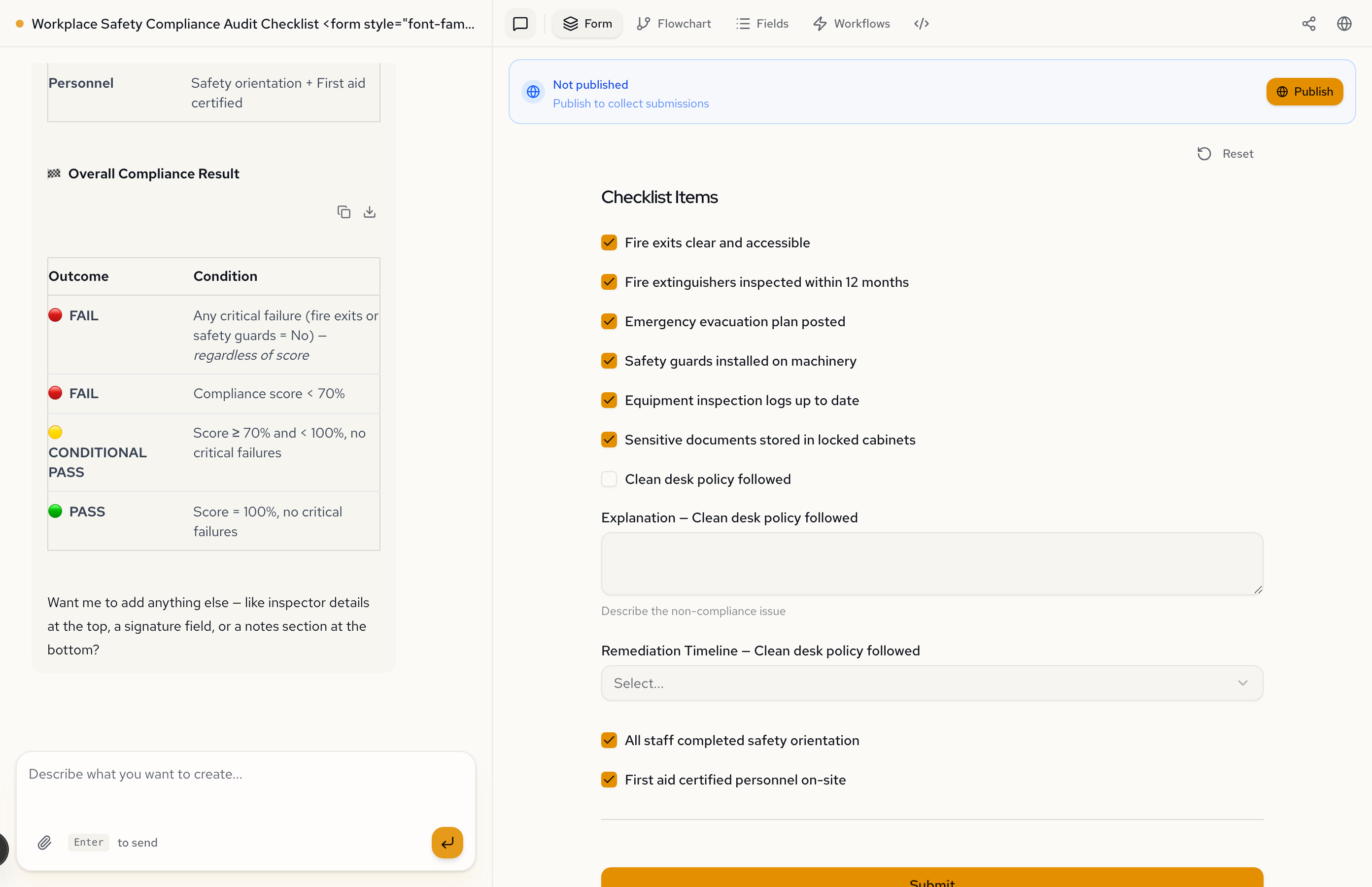
Three outcomes, three scenarios
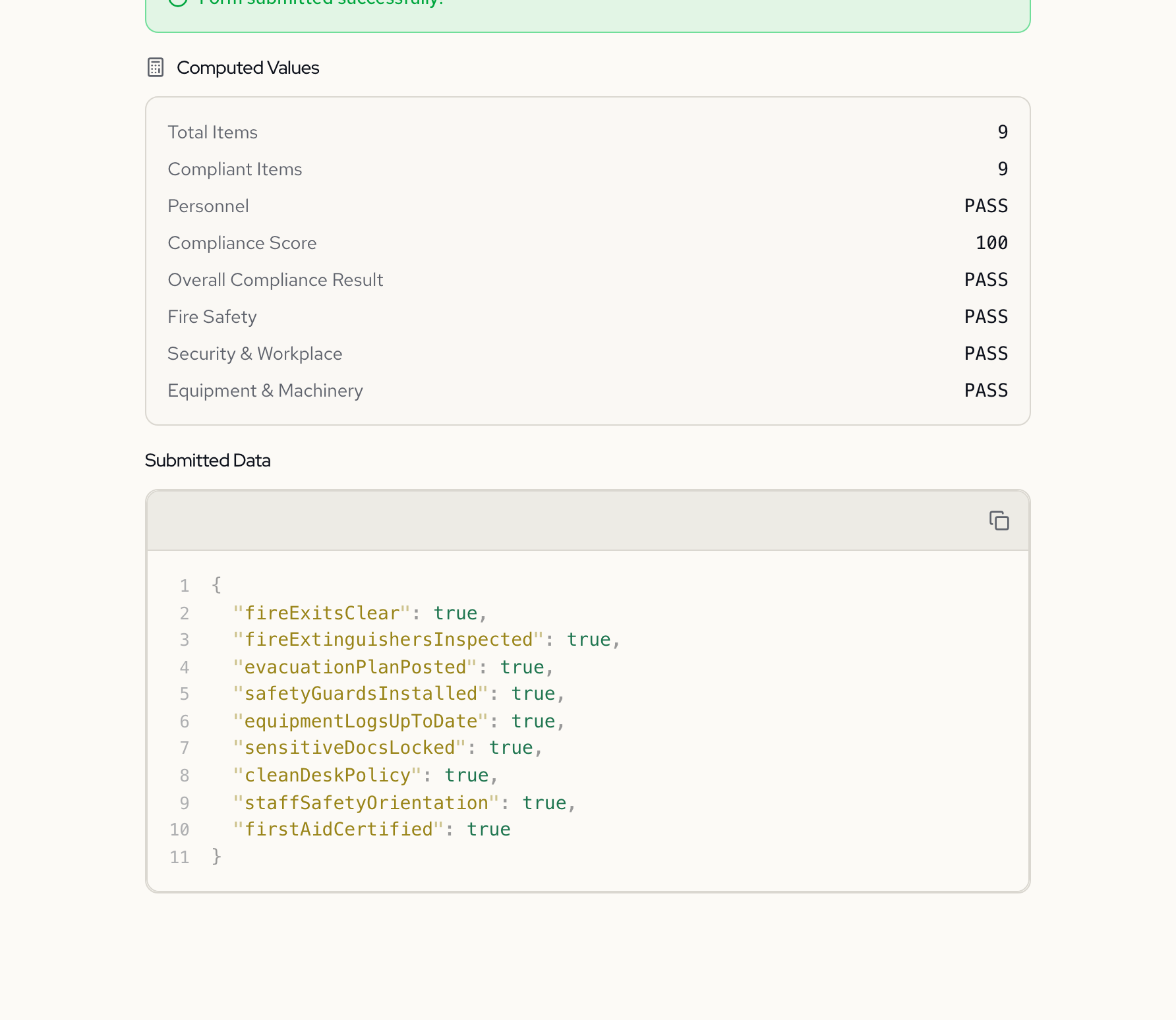
100% compliant: Pass. All nine items checked. Compliance score of 100. Every category passes.
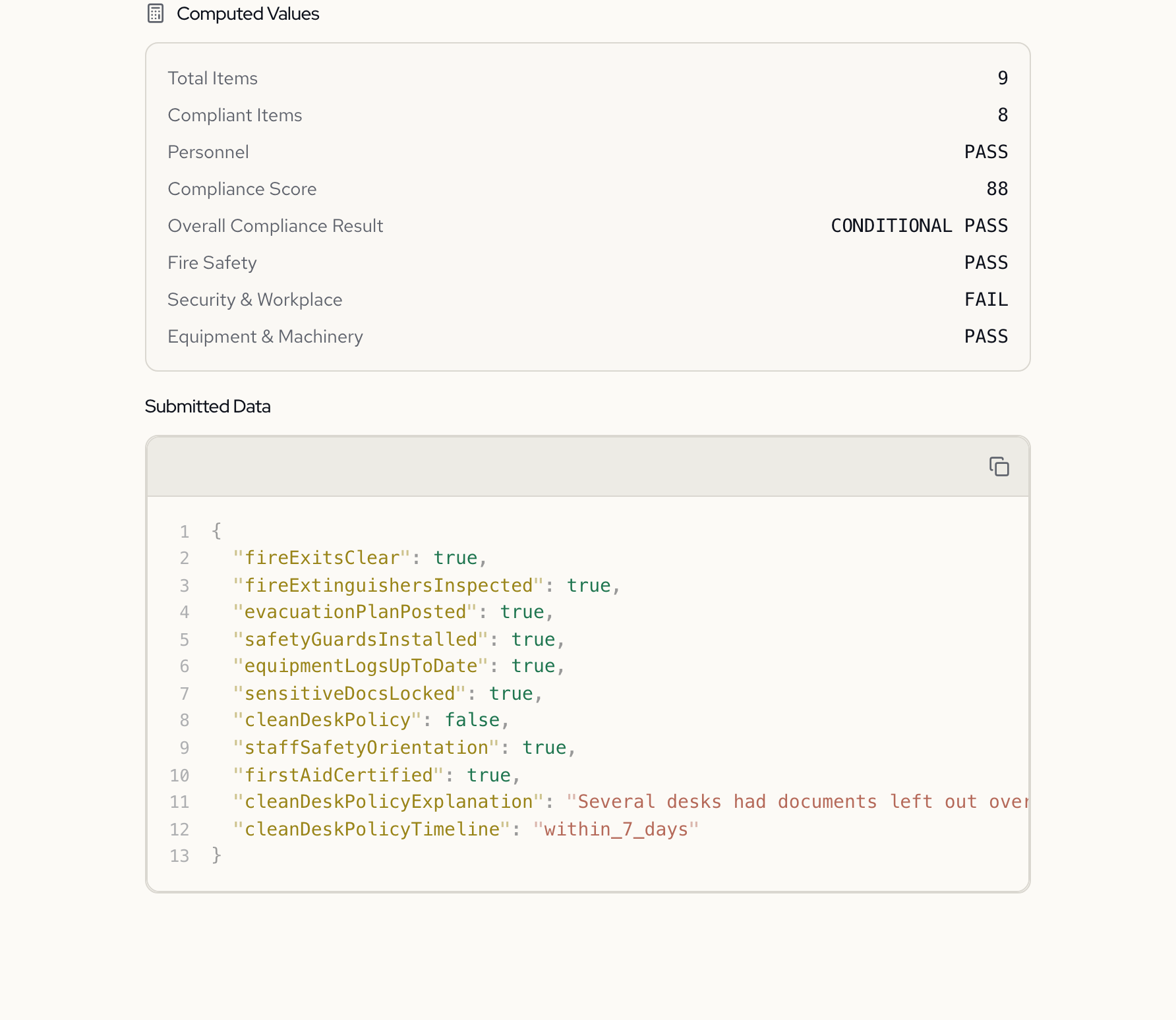
Minor non-compliance, no critical failures: Conditional Pass. One item unchecked (clean desk policy). Compliance score of 88%. Security & Workplace category fails, but no critical items are involved.
Critical failure: automatic Fail. Fire exits blocked plus clean desk policy failed. Score is 77%, which would normally be a Conditional Pass. But fire exits are a critical item. The critical failure override forces a Fail regardless of the percentage.
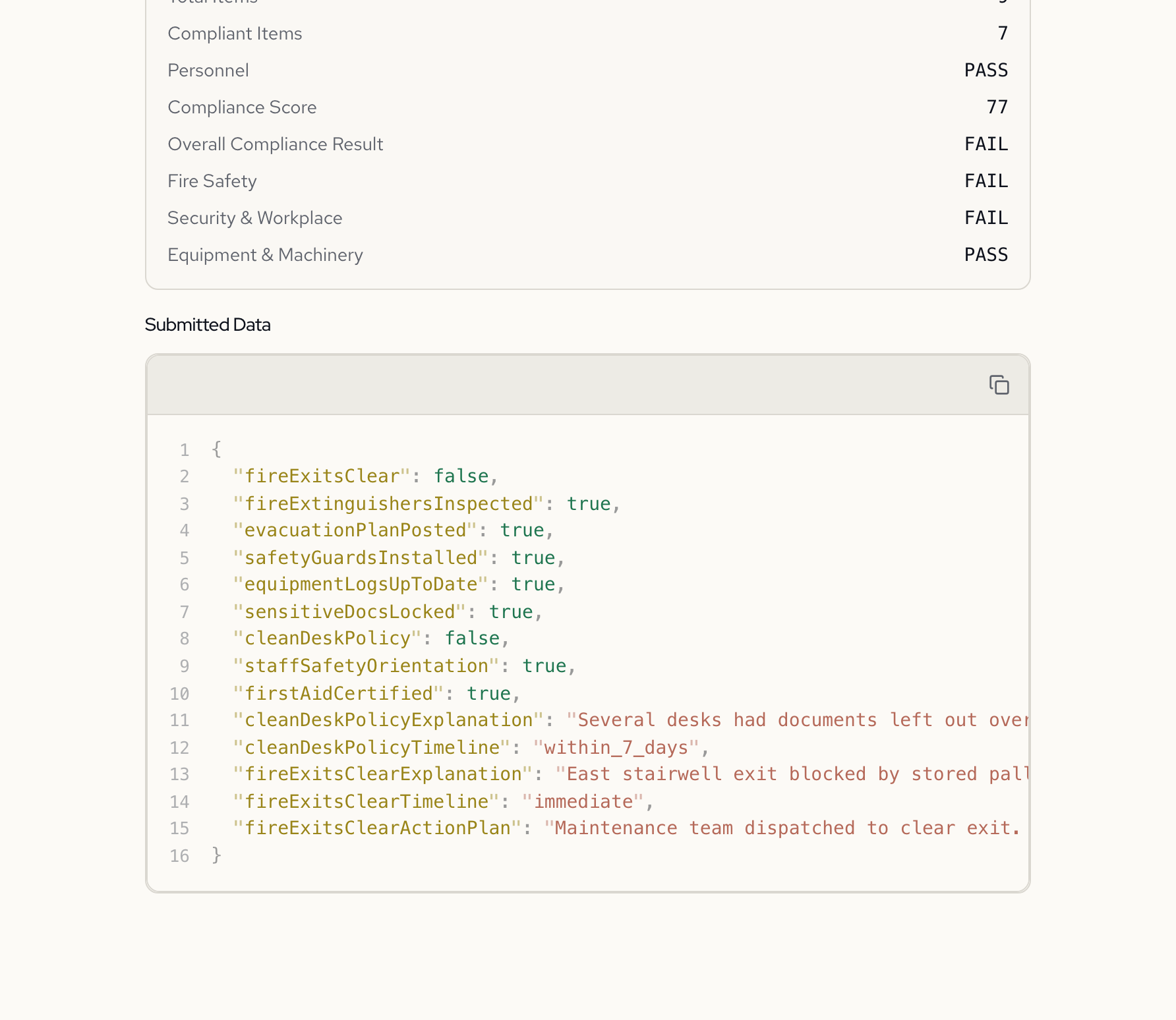
That override is the most interesting piece. Here's the expression the AI generated:
{
  "criticalFailure": {
    "expression": "fireExitsClear = false or safetyGuardsInstalled = false"
  },
  "complianceResult": {
    "label": "Overall Compliance Result",
    "expression": "if computed.criticalFailure = true then \"FAIL\" else if computed.compliancePercentage < 70 then \"FAIL\" else if computed.compliancePercentage >= 100 then \"PASS\" else \"CONDITIONAL PASS\""
  }
}
Critical failures are checked first. If either critical item fails, the result is Fail before the percentage is even considered. This pattern of critical overrides feeding into a final pass/fail outcome is a form of approval workflow.
The decision tree
The Flowchart tab shows the full audit logic as a decision tree. Each checklist item is a decision node. Failure paths branch into evidence collection. All paths converge at the computed scoring.
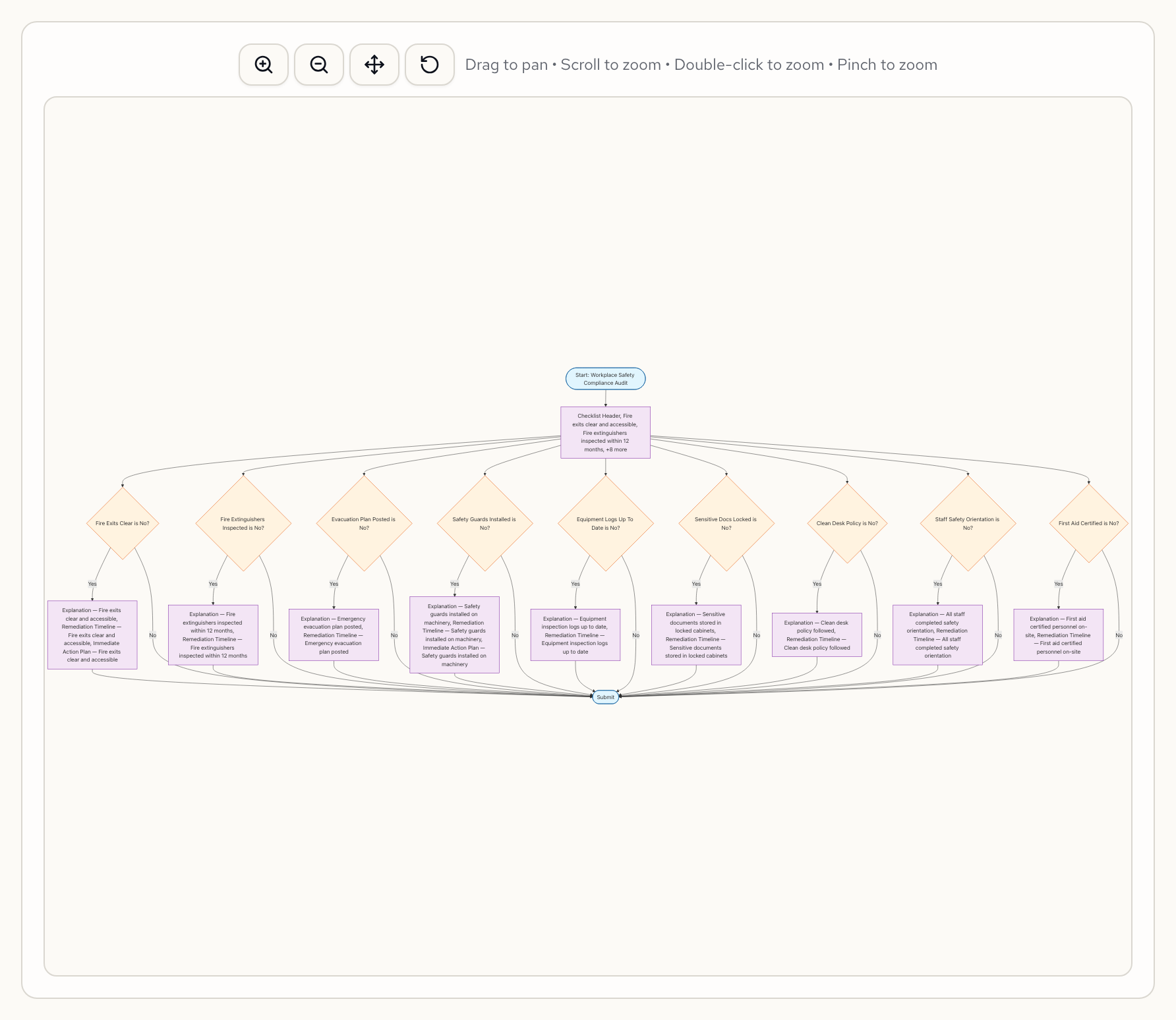
This is generated automatically from the form specification. Change a rule and the flowchart updates to match.
Two messages. A checklist that enforces itself.
A spreadsheet checklist is a list of questions with no memory and no consequences. It can't require evidence when something fails. It can't escalate critical items. It can't compute a compliance score. Those features require custom software or a dedicated compliance platform.
This form does all of it. Nine checklist items, 18 conditional evidence fields, computed percentage scoring, category-level breakdowns, and a critical failure override. Built from two plain-language messages.
Try it yourself
Paste this into Formidable:
Create a workplace safety compliance audit checklist. Include items for fire safety, equipment maintenance, data handling, and employee training. When any item is non-compliant, require a written explanation and remediation timeline. Critical items (fire exits, safety guards) should also require an immediate action plan. Compute a compliance percentage and category-level pass/fail results. Critical failures should cause automatic Fail regardless of score.
Then uncheck a fire exit and watch the form change around it.
Sign up free — go from compliance rules to working checklist in one conversation.
Learn more about conditional logic and calculations.