

Insurance eligibility forms don't just collect data. They evaluate it. Is this applicant eligible? What's their risk tier? Should they be approved or rejected? That logic usually lives in a separate system: a rules engine, a backend service, custom code.
We built one in Formidable. Two messages. The form collects applicant details, adapts its fields based on coverage type, computes a risk score, and renders an eligibility decision. No hand-written code. No separate rules engine.
The prompt
We described the eligibility checker in plain language:
Create an insurance eligibility form. Collect applicant name, age, and coverage type (Auto, Home, Health). For Auto: ask driving record and vehicle age. For Home: ask property age and flood zone. For Health: ask smoking status and chronic conditions. Add pre-existing conditions for all types. Reject if: major violations or vehicle over 20 years (Auto), property over 50 in a flood zone (Home), current smoker with 3+ chronic conditions (Health), age under 18 or over 85, or pre-existing conditions with age over 70.
Formidable built the form, wired up the conditional sections, and implemented all five rejection rules. It also suggested additions we didn't ask for: a multi-page layout, a coverage start date field, and additional coverage-specific questions.
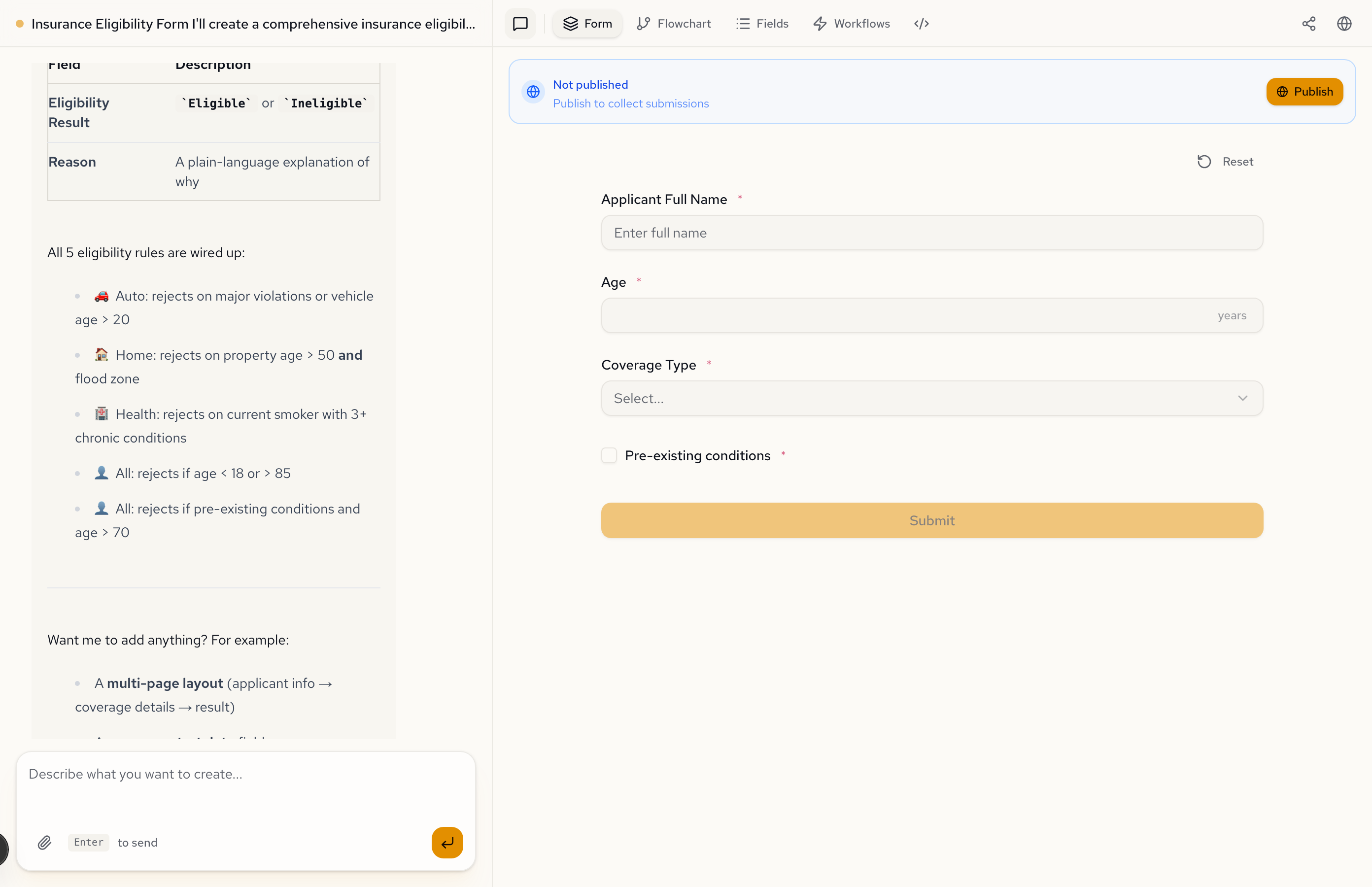
Three coverage types, three field sets
The form starts with four base fields: name, age, coverage type, and pre-existing conditions. Select a coverage type and the relevant fields appear.
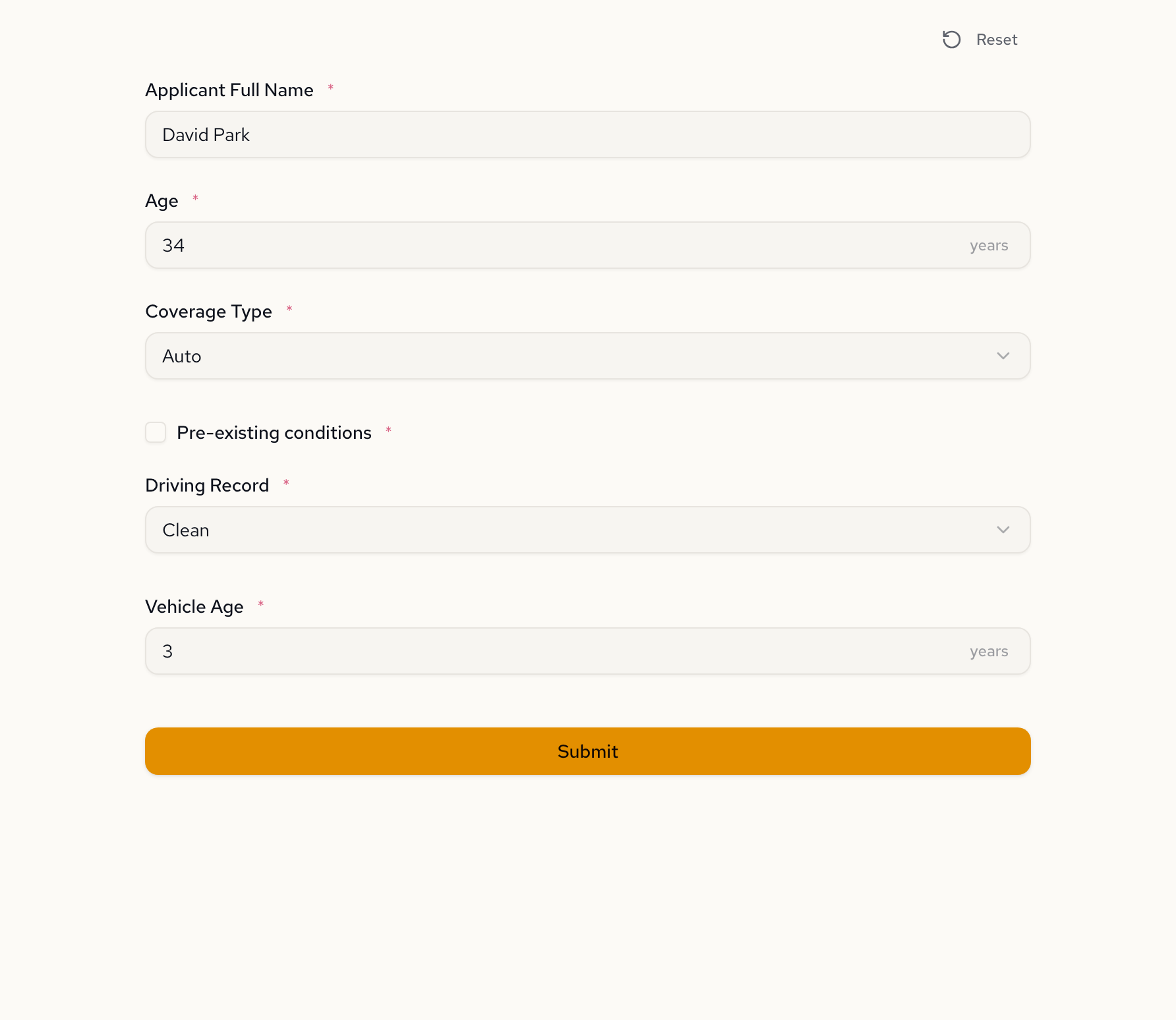
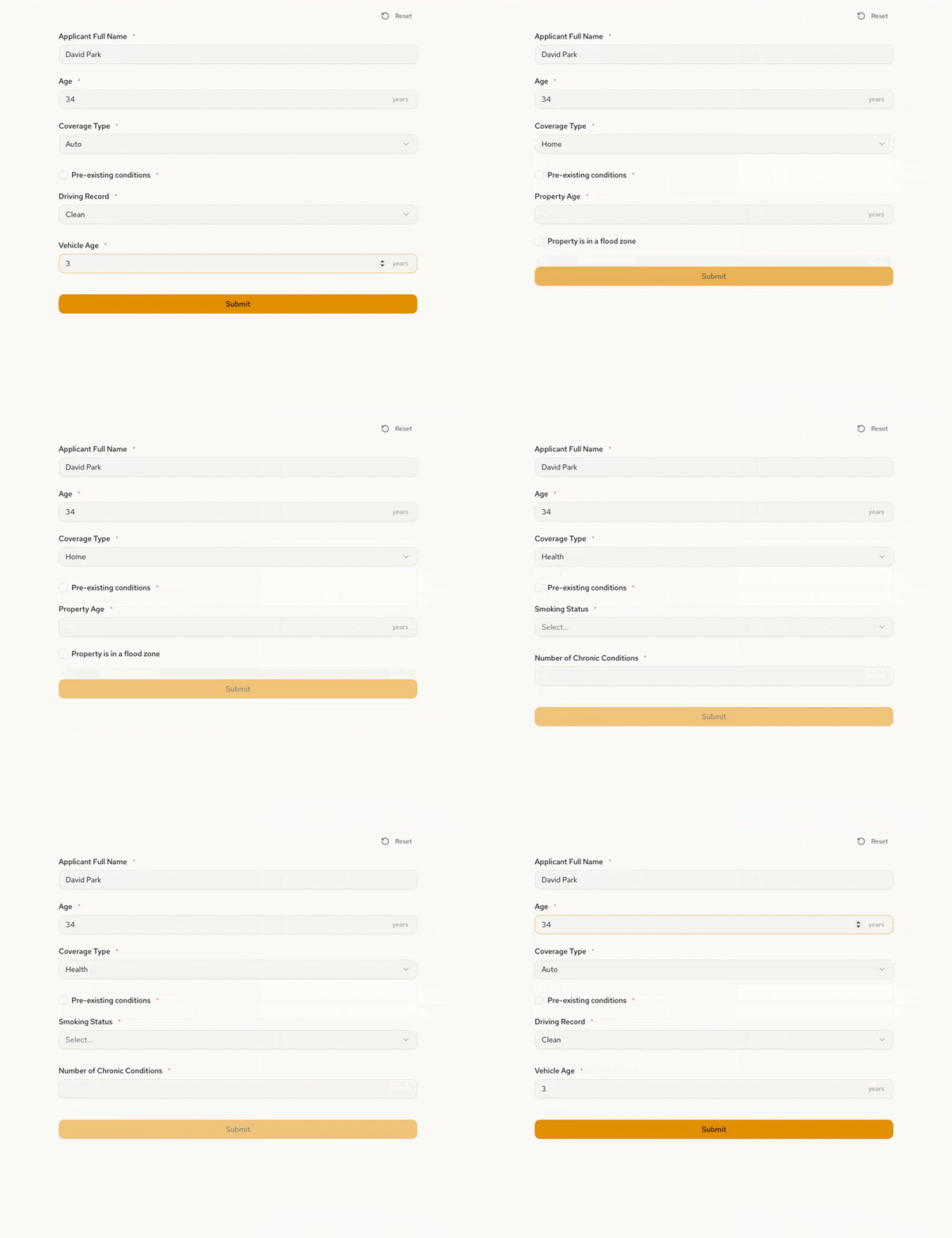
Auto shows driving record and vehicle age:
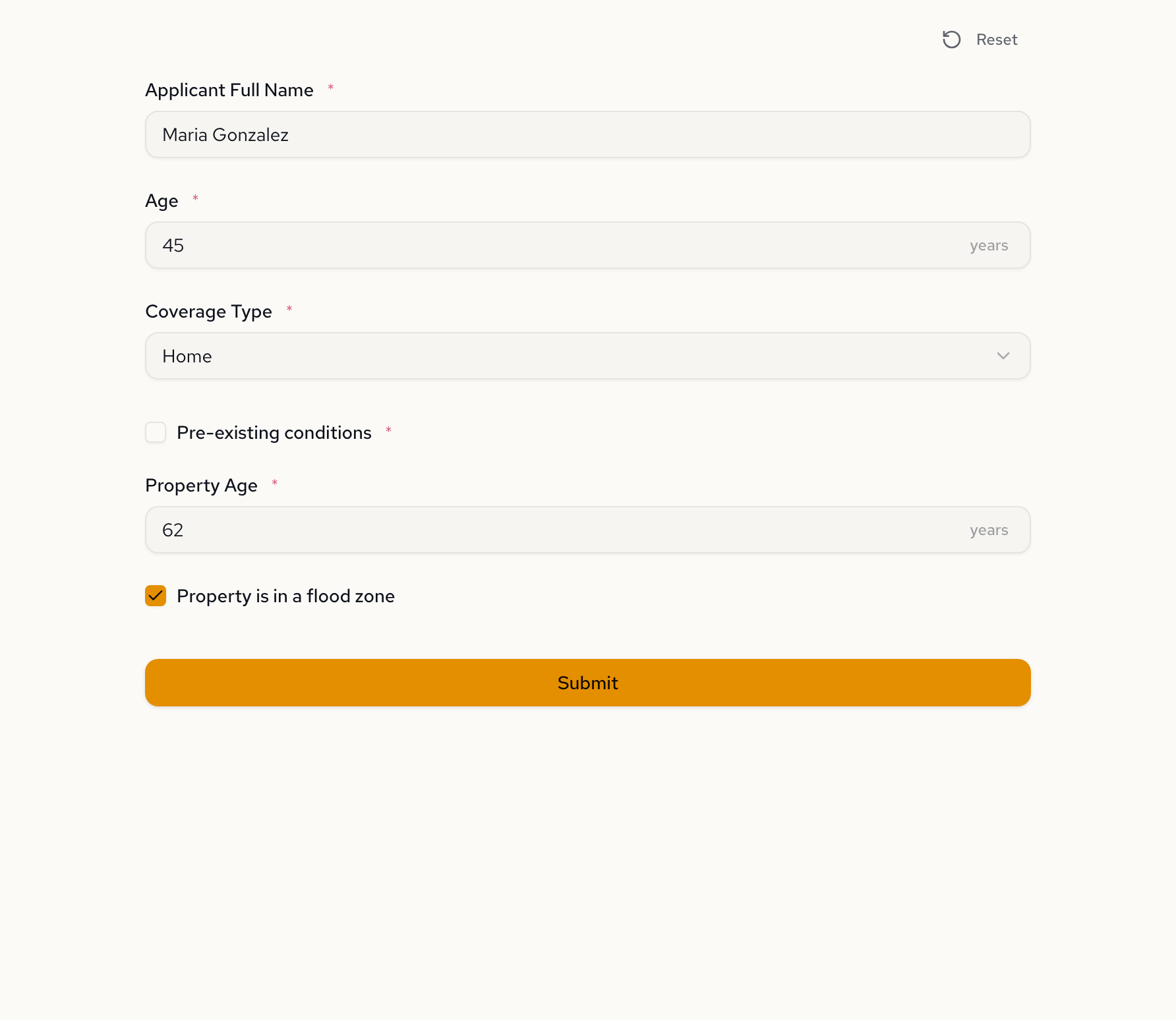
Home shows property age and flood zone:
Health shows smoking status and chronic conditions:
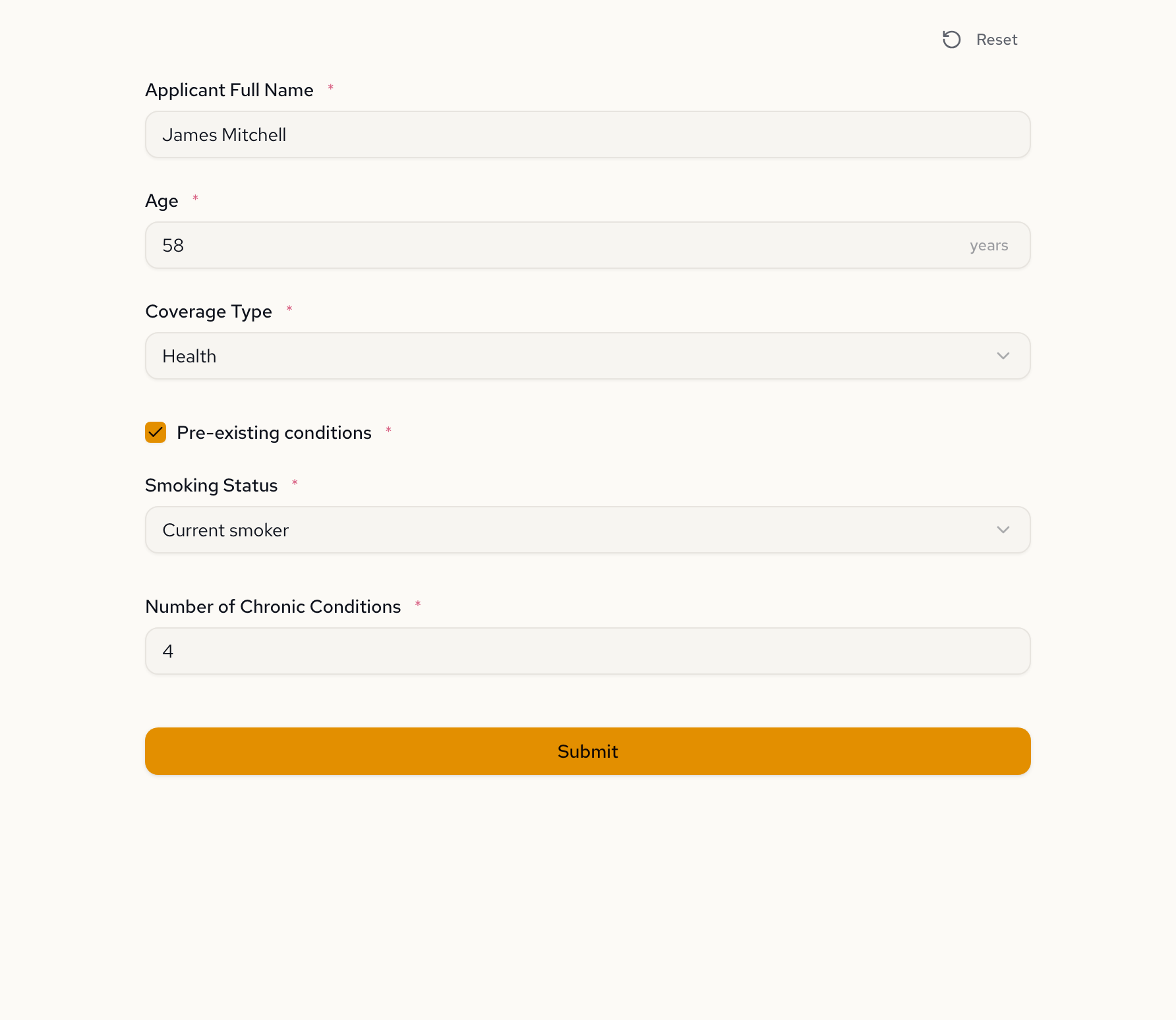
This is field-level conditional visibility. Each coverage type controls which fields exist, not which page the applicant lands on. Switch between types and the fields swap instantly:
Adding risk tiers with a follow-up
The first version made binary decisions: eligible or not. We asked the AI to add nuance.
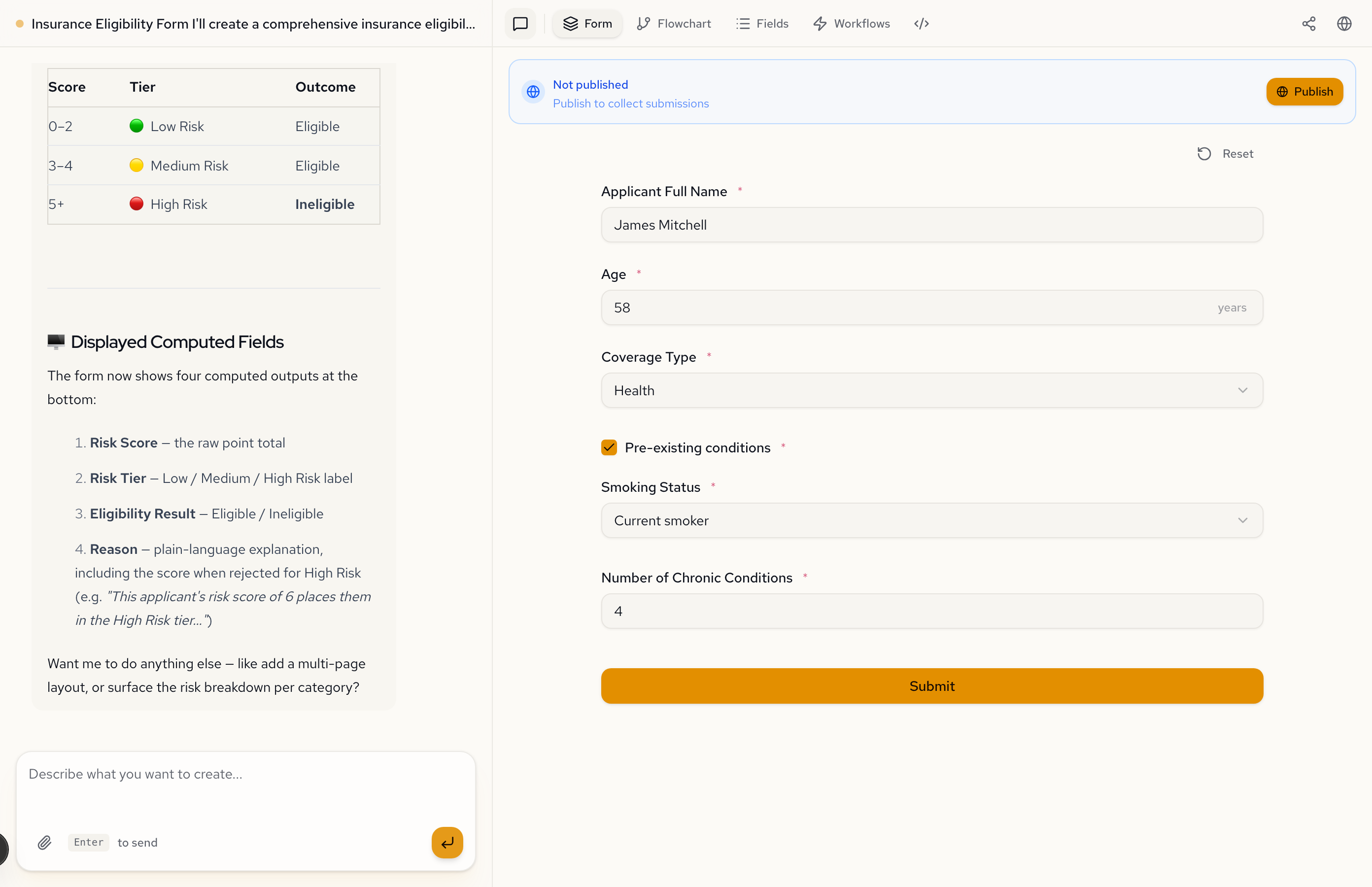
Add a risk tier calculation. Compute risk points: age over 60 (+1), pre-existing conditions (+2), minor driving violations (+1), major violations (+3), flood zone (+2), property over 30 years (+1), former smoker (+1), current smoker (+3), each chronic condition (+1). Classify as Low Risk (0-2), Medium Risk (3-4), High Risk (5+). Reject if High Risk.
The AI restructured the eligibility logic. Instead of hard reject rules alone, the form now computes a point-based risk score, assigns a tier, and uses that tier for the final decision. Four computed outputs appear at the bottom: Risk Score, Risk Tier, Eligibility Result, and Reason. This is a textbook example of approval workflows in action.
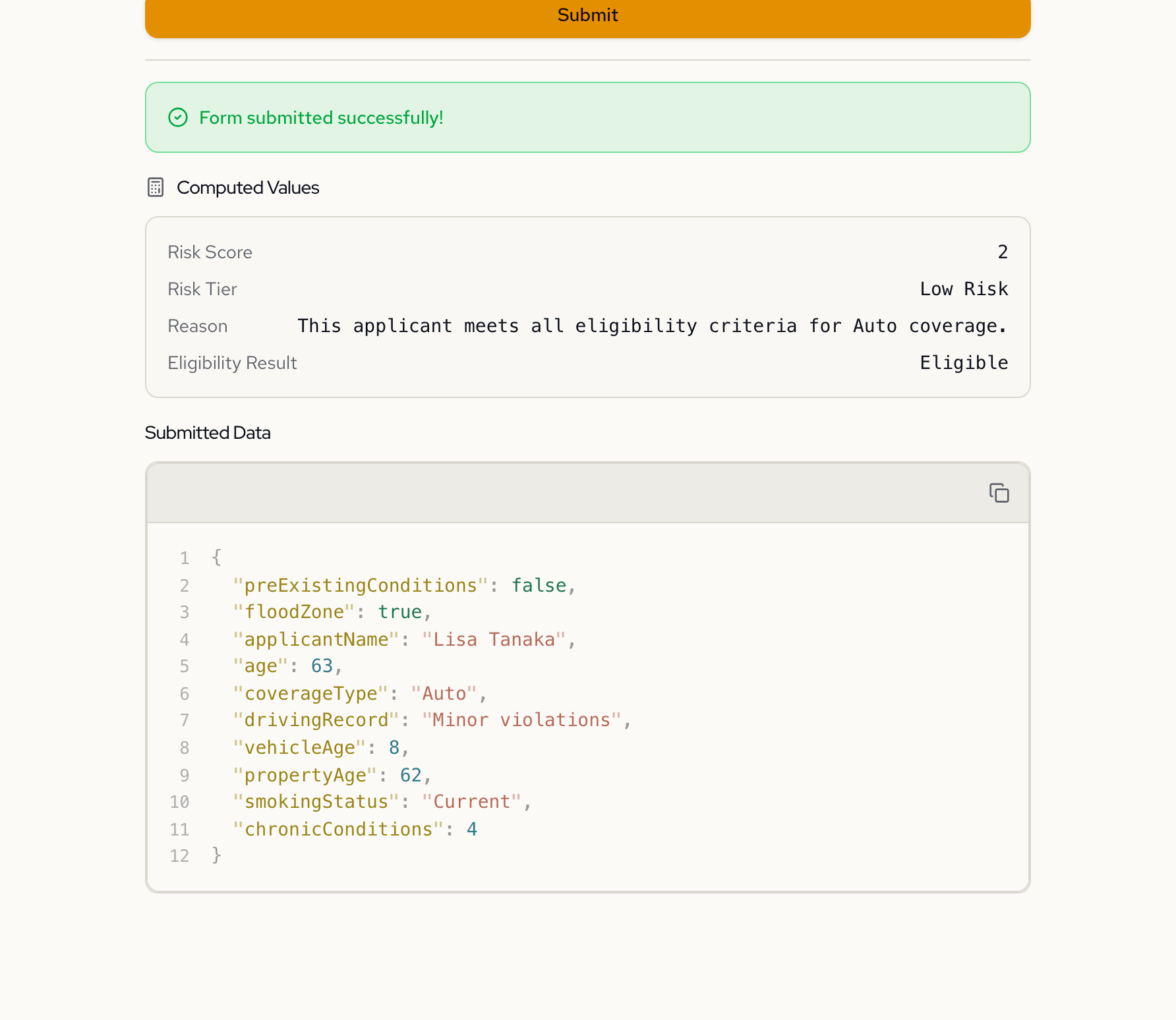
Here's what that looks like for a 63-year-old Auto applicant with minor violations. Age over 60 adds 1 point. Minor violations add 1 point. Total: 2 points. Low Risk. Eligible.
Now change the inputs. A 72-year-old Health applicant who is a current smoker with 3 chronic conditions and pre-existing conditions. Age over 60 (+1), current smoker (+3), three chronic conditions (+3), pre-existing (+2). Total: 9 points. High Risk. Ineligible.
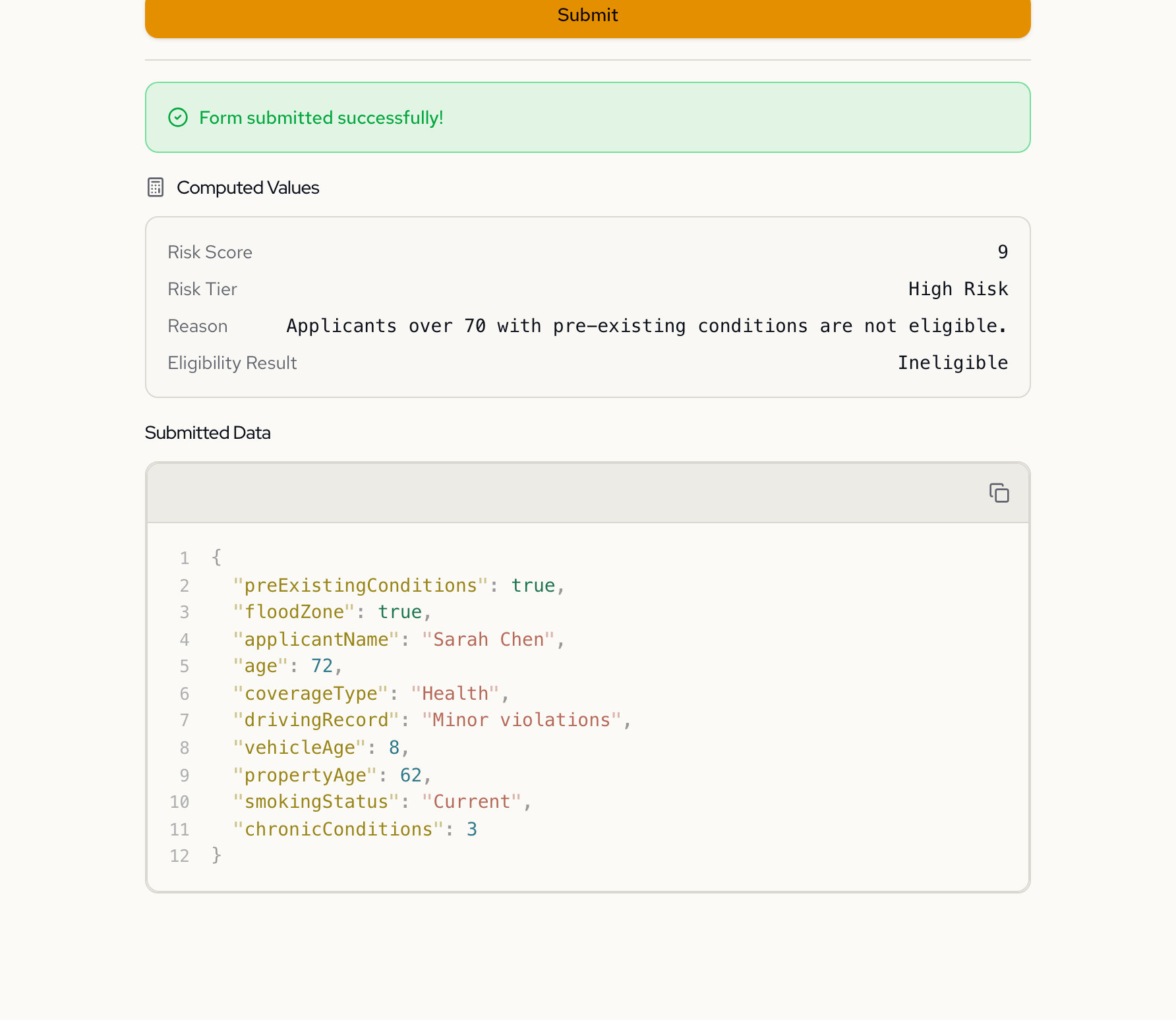
Same form, different inputs, different outcome. The form evaluates the applicant in real time.
The decision tree
The Flowchart tab is where this form stops looking like a form and starts looking like what it actually is: a decision tree.
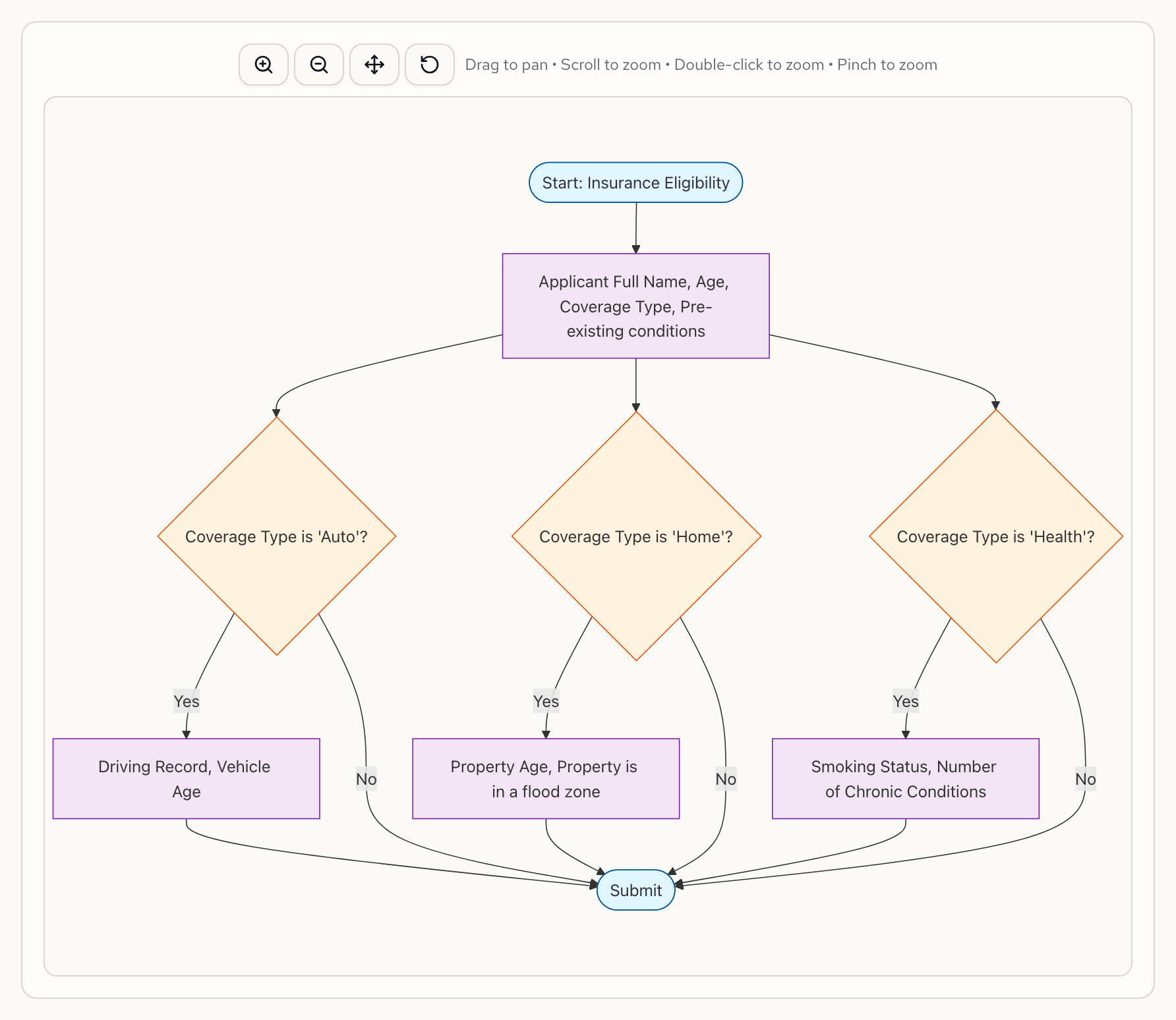
Coverage type creates three branches. Each branch collects different risk factors. All branches converge back into the submission path. This is generated automatically from the form specification. Change a rule and the flowchart updates to match.
What the AI generated
Under the hood, the form specification contains the conditional visibility rules, risk point expressions, and eligibility logic. Here's what the AI produced.
Each coverage-specific field has a visible expression that ties it to the selected coverage type. Here's drivingRecord — it only appears when the applicant selects Auto coverage:
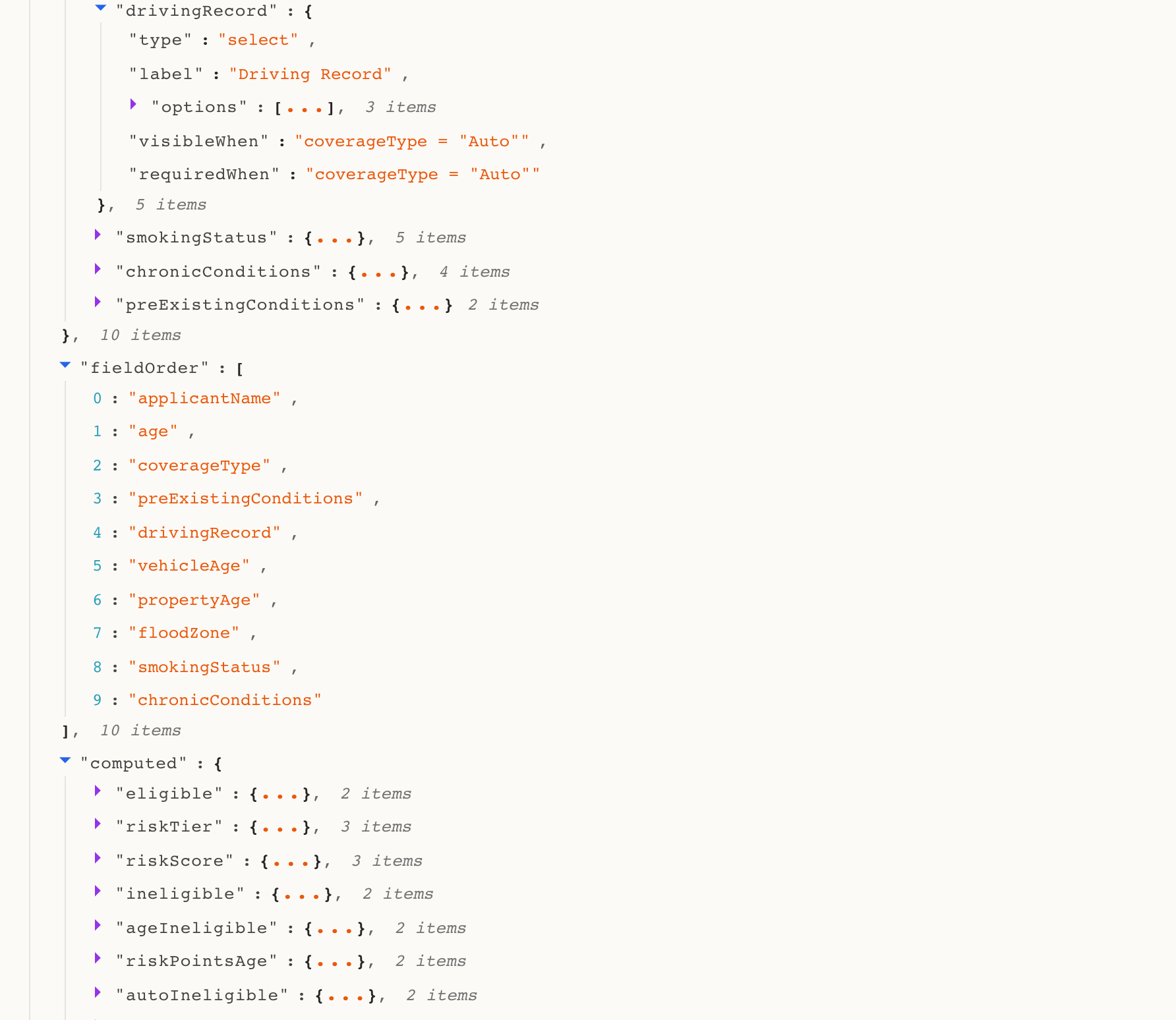
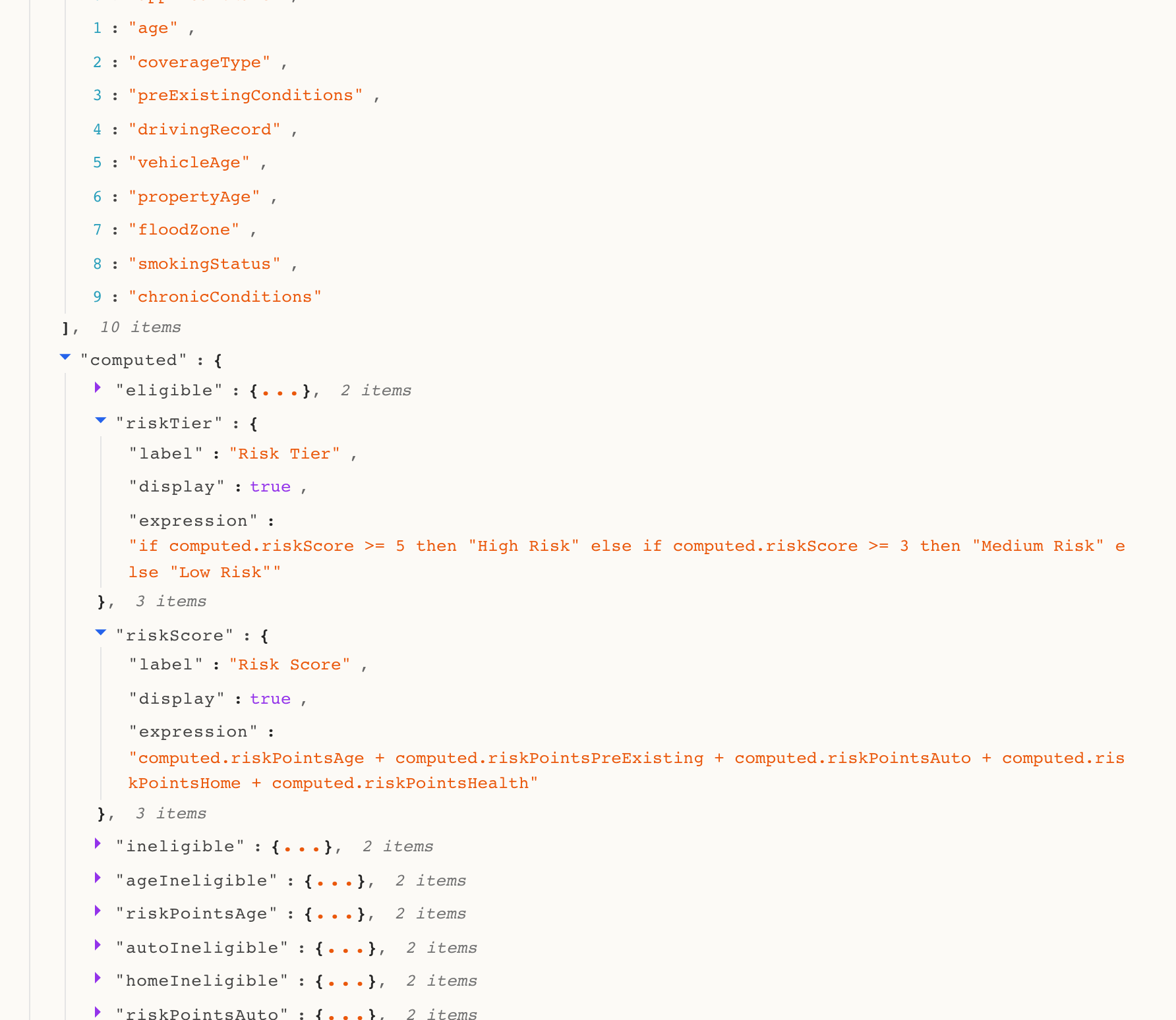
The computed section is where the risk scoring lives. The risk score expression aggregates points across coverage-specific factors. The tier maps the score to a label. The eligibility result evaluates the final boolean. All generated from two plain-language messages:
Two messages. Under five minutes.
Building an eligibility checker like this normally means choosing a rules engine, defining the decision logic in a separate system, connecting it to a form frontend, and testing the integration. The form collects data, the rules engine evaluates it, and some glue code ties them together.
Here, the form does both. It collects the data and evaluates it. The business rules live inside the form specification, not in a separate system. One artifact. One conversation.
Try it yourself
Paste this into Formidable and see what comes back:
Create an insurance eligibility form. Collect applicant name, age, and coverage type (Auto, Home, Health). For Auto: ask driving record and vehicle age. For Home: ask property age and flood zone. For Health: ask smoking status and chronic conditions. Compute a risk score with point-based factors for each coverage type. Classify into Low, Medium, and High risk tiers. Approve Low and Medium Risk. Reject High Risk.
Then open the Flowchart tab. You'll see a decision tree you didn't have to draw.
Sign up free — go from eligibility rules to working form in one conversation.