
Forms that decide
Approve/Reject Logic
Boolean business rules that evaluate submissions against thresholds and conditions. The form itself determines the outcome, not a human reviewer or external system.
Multi-factor Eligibility
Combine multiple criteria into a single pass/fail outcome. Age, risk factors, coverage type, and history all feed into one eligibility result.
Computed Risk Scoring
Calculate risk scores, weighted totals, or tiered ratings that feed into approval decisions. Low, medium, and high risk tiers computed from form inputs.
How it works
Describe your approval criteria in plain language. Get a form that evaluates eligibility in real time.
You describe it
Describe the form you want to build, including any calculations or scoring logic.
Create an insurance eligibility form. Ask for name, age, coverage type (Auto, Home, Health), and pre-existing conditions. Show driving record and vehicle age for Auto. Show property age and flood zone for Home. Show smoking status and chronic conditions for Health. Calculate a risk score and determine eligibility. Reject if risk is too high or specific disqualifying factors are present.
You get this
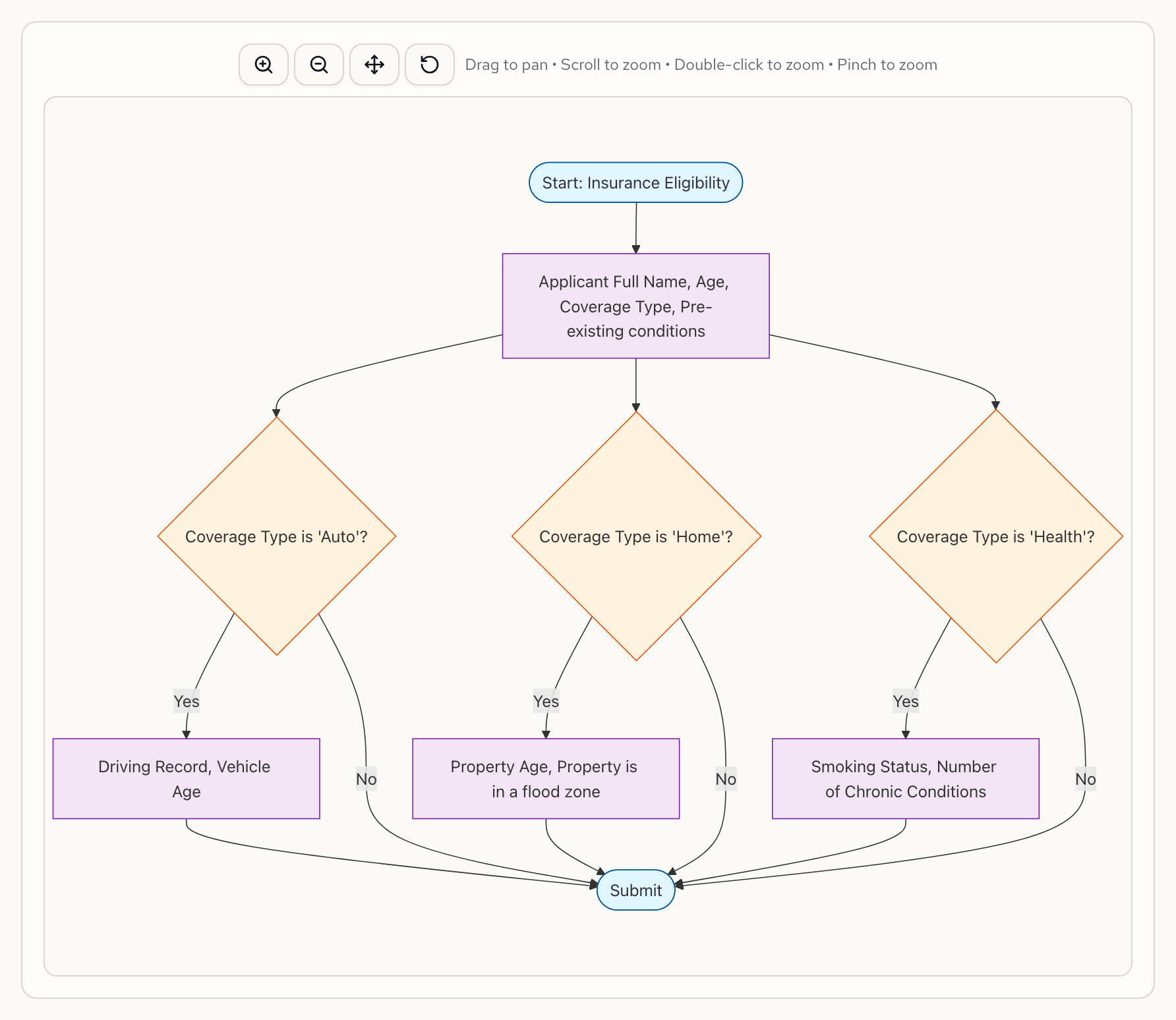
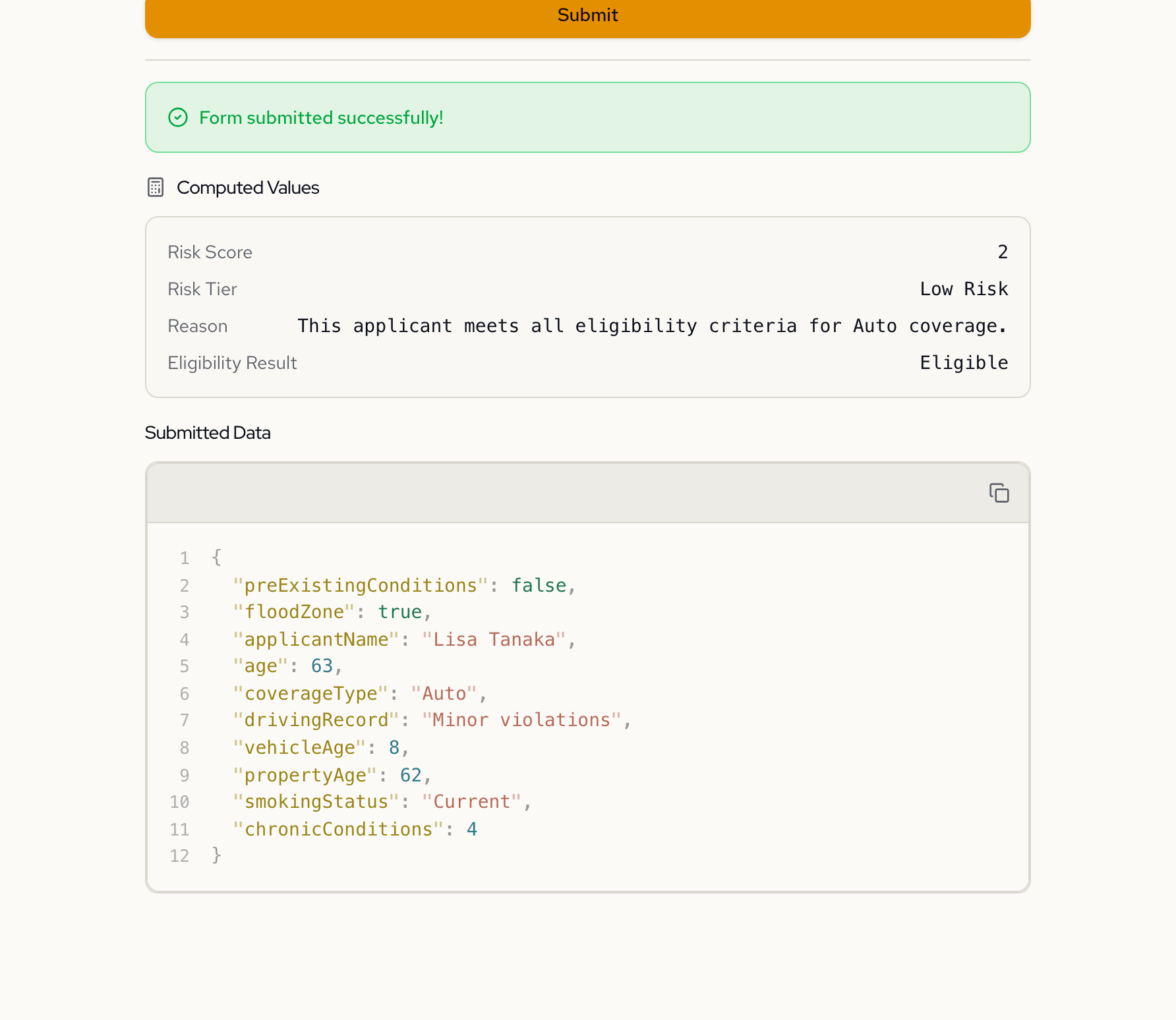
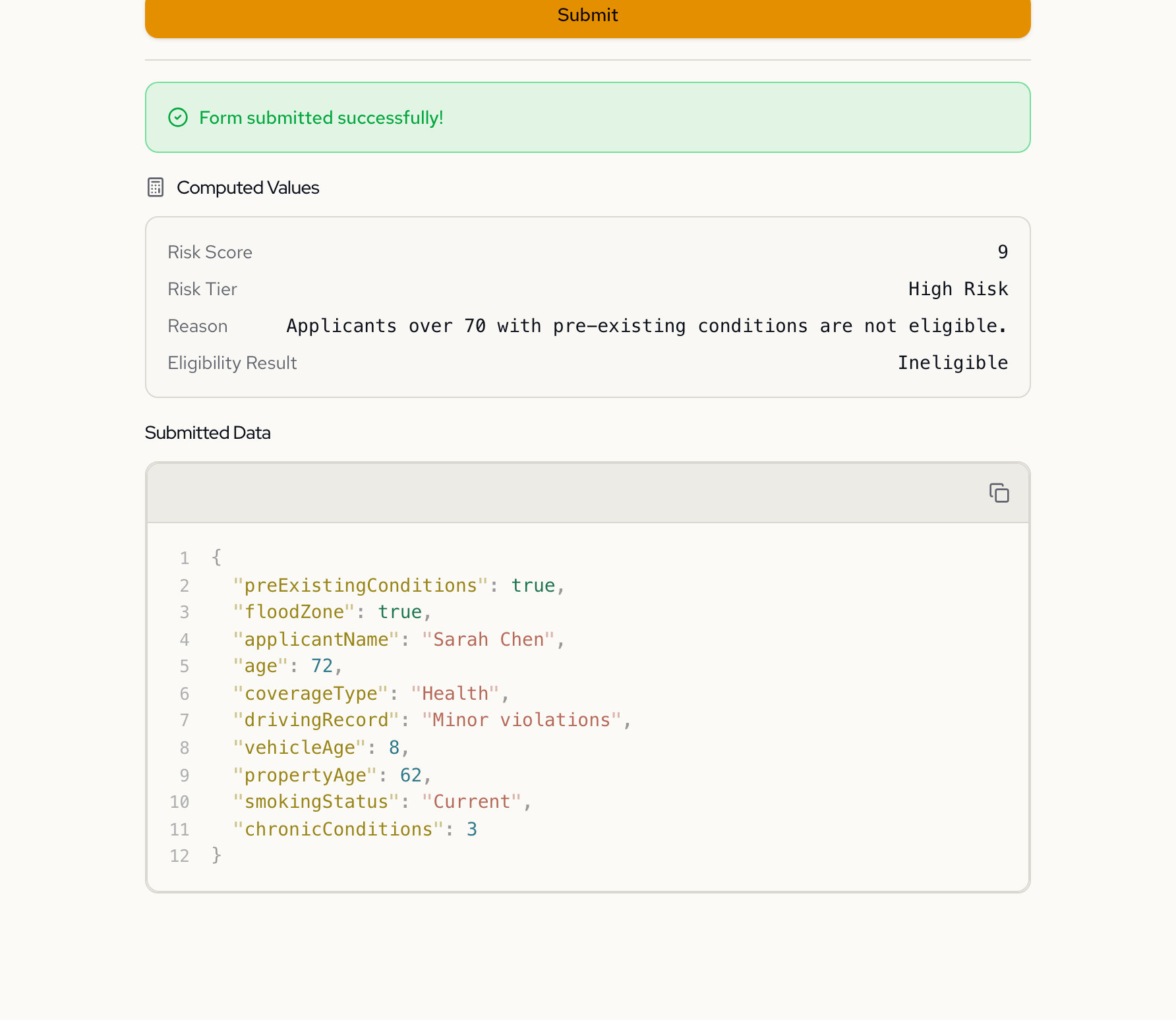
Same form, different verdicts
The eligibility result, risk score, and reason update automatically based on the applicant's inputs. No server round-trip required.
Lisa — Eligible
Sarah — Ineligible
The approval logic
{
  "computed": {
    "riskScore": {
      "label": "Risk Score",
      "display": true,
      "expression": "computed.riskPointsAge + computed.riskPointsPreExisting + computed.riskPointsAuto + computed.riskPointsHome + computed.riskPointsHealth"
    },
    "riskTier": {
      "label": "Risk Tier",
      "display": true,
      "expression": "if computed.riskScore >= 5 then \"High Risk\" else if computed.riskScore >= 3 then \"Medium Risk\" else \"Low Risk\""
    },
    "eligibilityResult": {
      "label": "Eligibility Result",
      "display": true,
      "expression": "if computed.eligible = true then \"Eligible\" else if computed.ineligible = true then \"Ineligible\" else null"
    },
    "ineligible": {
      "display": false,
      "expression": "computed.ageIneligible = true or computed.preExistingIneligible = true or computed.autoIneligible = true or computed.homeIneligible = true or computed.healthIneligible = true or computed.highRiskIneligible = true"
    }
  }
}
See it in action
Detailed showcases of forms built with Formidable.
Headless by design
Fetch the spec, render your own UI, evaluate approval rules server-side. Almost like a business rules engine, with a form attached.
curl -X POST https://api.formidable.software/f/insurance-eligibility/evaluate \
  -H "Authorization: Bearer sk_live_..." \
  -d '{ "age": 35, "coverageType": "Auto", "drivingRecord": "Clean", "vehicleAge": 3, "preExistingConditions": false }'
Response
{
  "valid": true,
  "computed": {
    "riskScore": 0,
    "riskTier": "Low Risk",
    "eligibilityResult": "Eligible",
    "eligibilityReason": "This applicant meets all eligibility criteria for Auto coverage."
  }
}import { FormRenderer } from "@fogpipe/forma-react";
import type { ComponentMap } from "@fogpipe/forma-react";
const components: ComponentMap = {
text: TextInput,
integer: NumberInput,
select: SelectField,
boolean: Checkbox,
};
function EligibilityForm({ spec }) {
return (
<FormRenderer
spec={spec}
components={components}
onChange={(data, computed) => {
// Real-time eligibility feedback
if (computed.eligibilityResult) {
showBanner(computed.eligibilityResult);
}
}}
onSubmit={(data) => {
// Computed values included automatically
console.log(data);
}}
/>
);
}Insurance Eligibility
Approval Result
Risk Score
0
Risk Tier
Low Risk
Eligibility Result
Built-in, not bolted on
Most approval forms collect data in one tool and evaluate it in another. Formidable does both in the same step.
Frequently asked questions
Can I have multiple approval tiers?
Yes. Computed fields support conditional expressions that map scores to tiers. For example, a risk score below 3 maps to Low Risk, 3-4 to Medium Risk, and 5+ to High Risk. Each tier can trigger different outcomes in the eligibility result.
Are business rules evaluated client-side or server-side?
Both. The forma-react renderer evaluates all computed fields and eligibility logic in real time on the client. The same expressions run server-side when you POST to the /evaluate endpoint, so results are consistent regardless of where you check them.
Can approval logic reference computed fields?
Yes. Computed fields can reference other computed fields. A common pattern is to compute a risk score from individual risk factors, then reference that score in a tier classification, then reference the tier in the final eligibility result. The engine resolves dependencies automatically.
How do I integrate approval results with external systems?
Two options. Use the /evaluate API endpoint to check eligibility from your backend before processing. Or set up a webhook in the workflow editor to push submission data and computed results to Slack, a CRM, or any URL when a form is submitted.
What happens to approval logic when fields are hidden?
Hidden fields are excluded from validation and their values are not included in the submission. Approval expressions that reference hidden fields evaluate them as null. Design your eligibility rules to handle null values for coverage-specific fields.
Build a form that decides
“Create an insurance eligibility form. Ask for name, age, and coverage type (Auto, Home, Health). Add coverage-specific fields that appear conditionally. Calculate a risk score based on the applicant's profile and determine eligibility automatically.”
Free to start · No credit card required