
Forms that calculate
Weighted Scores
Combine numeric inputs with multipliers and bonuses into a single computed score. FEEL expressions handle the math.
Boolean Outcomes
Pass/fail, eligible/ineligible, engaged/disengaged — computed from thresholds and conditions across multiple fields.
Formatted Outputs
Display computed values with decimal precision, currency formatting, or percentage notation. Built into the spec.
How it works
Describe your calculations in plain language. Get a working form with computed fields.
You describe it
Describe the form you want to build, including any calculations or scoring logic.
Create an employee satisfaction survey. Include name, department, experience level, job role, a satisfaction score from 1-10, years at company, and whether they'd recommend the company. Add a computed engagement score: multiply satisfaction by 10, add 15 if they'd recommend. Show an engaged status when score is 7+ and they'd recommend.
You get this
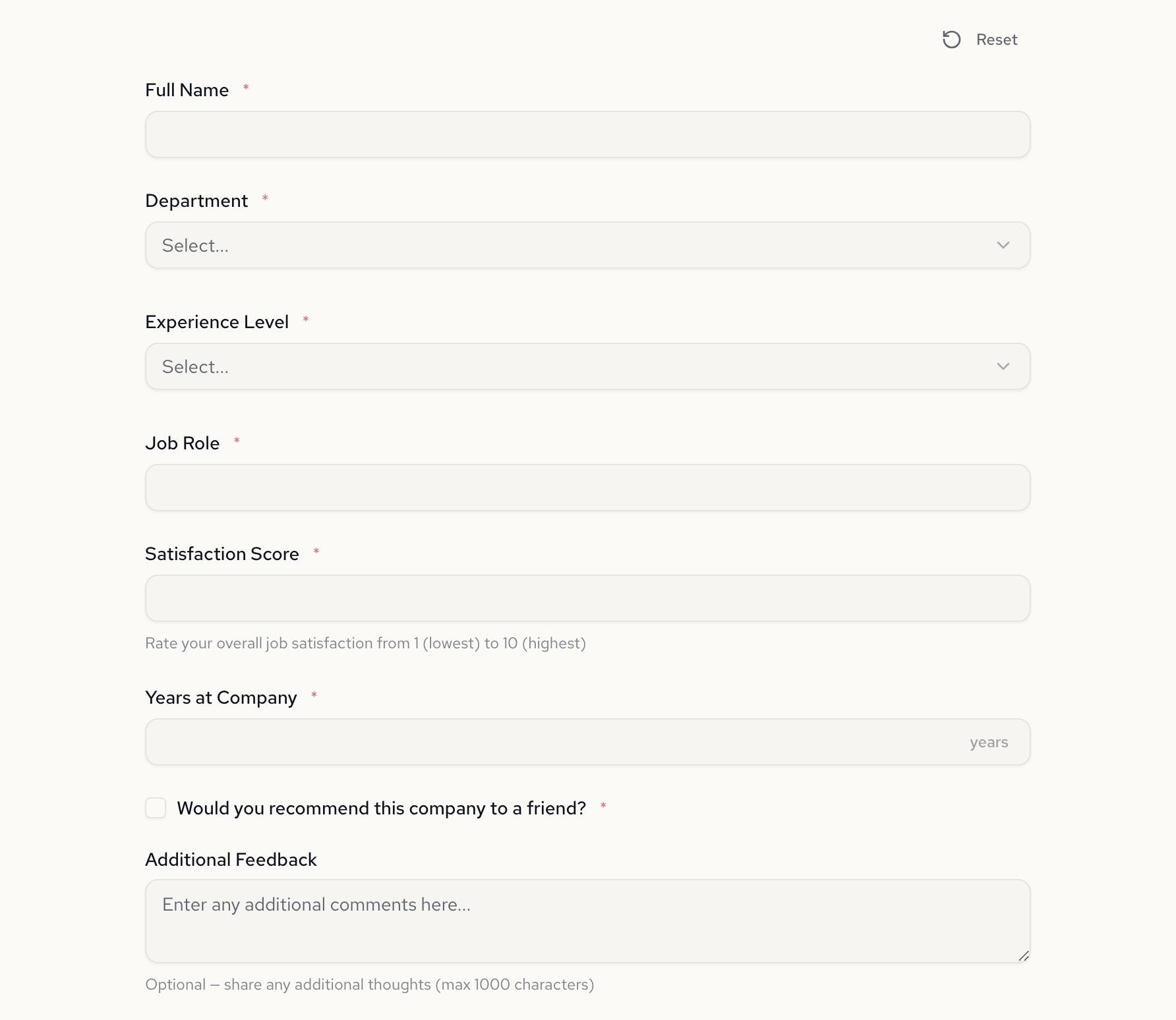
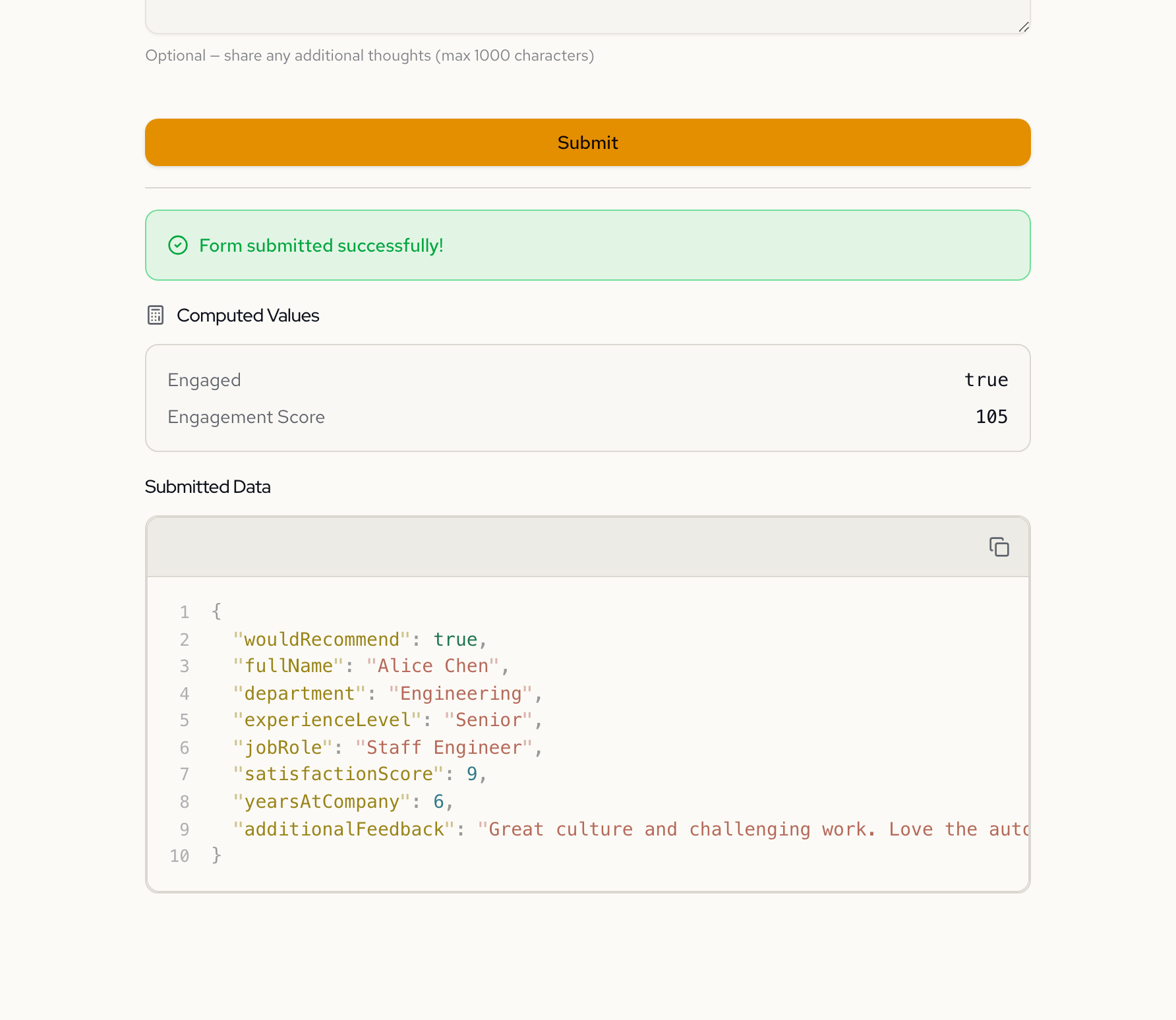
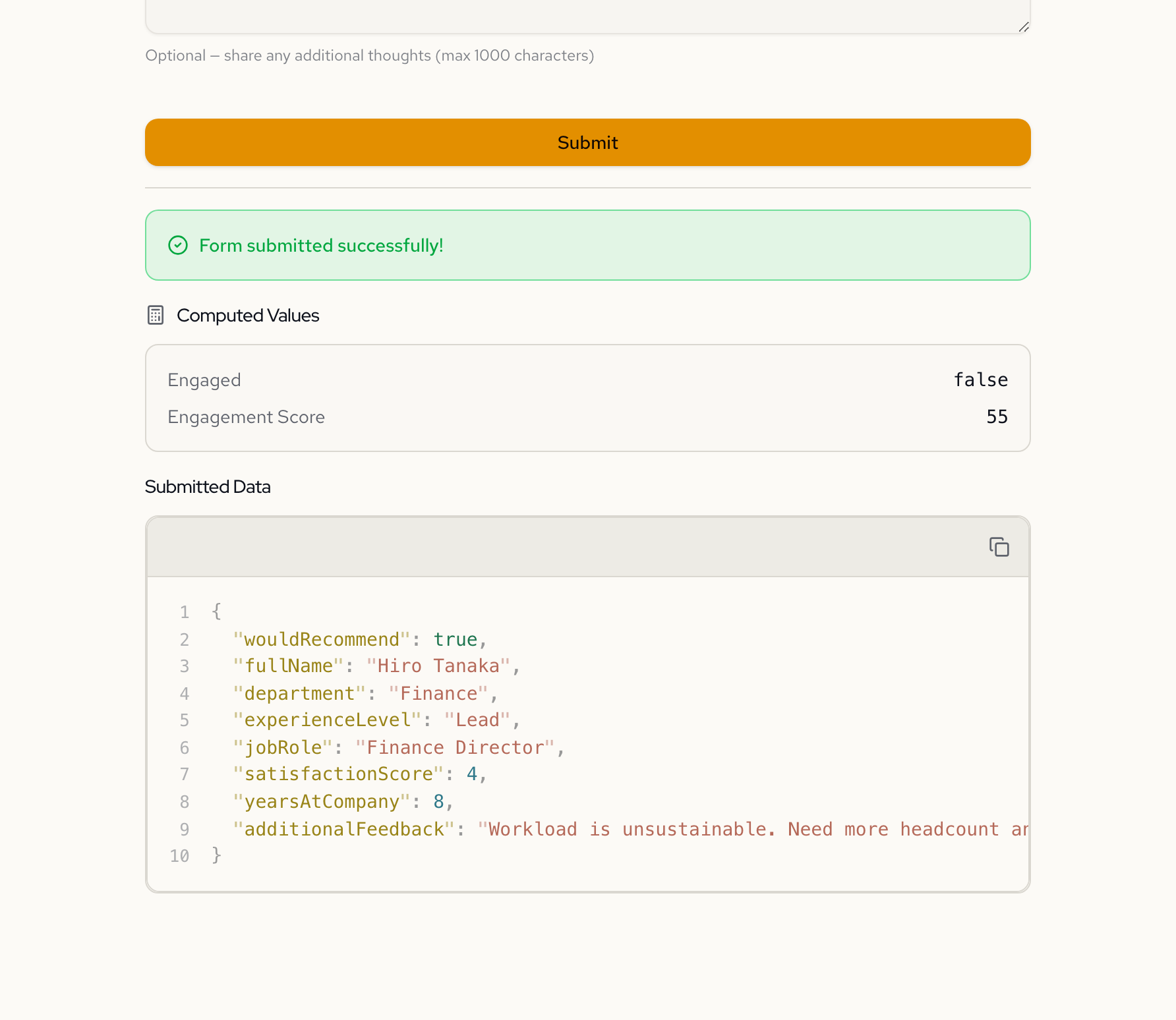
Same form, different outcomes
The engagement score and status update in real time as the user fills out the form.
Alice — Engaged
Hiro — Not Engaged
The computed field spec
{
  "computed": {
    "engaged": {
      "label": "Engaged",
      "display": true,
      "expression": "satisfactionScore >= 7 and wouldRecommend = true"
    },
    "engagementScore": {
      "label": "Engagement Score",
      "format": "decimal(0)",
      "display": true,
      "expression": "(satisfactionScore * 10) + (if wouldRecommend = true then 15 else 0)"
    }
  }
}
See it in action
Detailed showcases of forms built with Formidable.
Headless by design
Fetch the spec, render your own UI, validate server-side. One API for everything.
curl https://api.formidable.software/f/satisfaction-survey \
  -H "Authorization: Bearer sk_live_..."
Response
{
  "meta": {
    "id": "employee-satisfaction-survey",
    "title": "Employee Satisfaction Survey"
  },
  "fields": { ... },
  "computed": {
    "engaged": {
      "expression": "satisfactionScore >= 7 and wouldRecommend = true"
    },
    "engagementScore": {
      "expression": "(satisfactionScore * 10) + ..."
    }
  }
}import { FormRenderer } from "@fogpipe/forma-react";
import type { ComponentMap } from "@fogpipe/forma-react";
const components: ComponentMap = {
text: TextInput,
select: SelectField,
integer: SliderField,
boolean: Checkbox,
};
function SatisfactionSurvey({ spec }) {
return (
<FormRenderer
spec={spec}
components={components}
onSubmit={(data) => {
// Computed values included automatically
console.log(data);
}}
/>
);
}Employee Satisfaction Survey
Computed
Engagement Score
105
Why not just code it?
You could. But every formula change becomes a deploy, and every deploy is a risk.
Frequently asked questions
What expressions can computed fields use?
Computed fields use FEEL (Friendly Enough Expression Language), a DMN standard. You can use arithmetic operators, comparison operators, boolean logic (and/or/not), conditional expressions (if-then-else), and built-in functions like string(), decimal(), and round().
Can a computed field reference another computed field?
Yes. Computed fields can reference other computed fields in their expressions. The engine resolves dependencies automatically, so you can build layered calculations where one field depends on another.
Are computed fields evaluated on the client or server?
Both. The forma-react renderer evaluates computed fields in real time on the client for instant feedback. The same expressions are evaluated server-side when you POST to the /evaluate endpoint, ensuring consistent results.
Do I need to write any code to use computed fields?
No. Describe what you want to calculate in plain language and Formidable generates the FEEL expressions. If you use the forma-react renderer, computed values display automatically. If you build custom UI, you can evaluate expressions via the API.
Build a form that calculates
“Create an employee satisfaction survey with a computed engagement score based on satisfaction rating and recommendation status”
Free to start · No credit card required